
Free Construction Estimating Software for Contractors 2026 | ScopeTakeoff
Free Construction Estimating Software for Contractors in 2026
Excel is the best truly free construction estimating software. For contractors doing more than 5 bids per week, ScopeTakeoff at $100/person/month is the best value — 14-day free trial, 10+ trade assembly libraries, PDF plan takeoff, and SOV output. The math is simple: if your estimator saves 3 hours per bid and you’re billing $75/hour in overhead, ScopeTakeoff pays for itself on the second estimate of the month.
Every contractor starts with Excel. It’s free, it’s familiar, and for 1-3 bids a month it gets the job done. The question isn’t whether free construction estimating software exists — it’s whether free is actually cheaper once you factor in the time cost.
This guide covers every free and low-cost construction estimating option available in 2026, what each one actually does, and at what point the math stops working in favor of staying free.
Quick comparison: free construction estimating software 2026
| Tool | Price | Trade assemblies | PDF takeoff | SOV output | Best for |
|---|---|---|---|---|---|
| Excel | $0 | ✗ Manual | ✗ No | ✗ Manual | 1–3 bids/month |
| Google Sheets | $0 | ✗ Manual | ✗ No | ✗ Manual | Remote teams, collaboration |
| ScopeTakeoff | $0 trial / $100/mo | ✓ 10+ trades | ✓ Included | ✓ One click | 5+ bids/week |
| Clear Estimates | $59–$99/mo | Partial | ✗ No | ✗ No | Residential remodelers |
| Joist (free tier) | $0 limited | ✗ No | ✗ No | ✗ No | Simple residential quotes |
1. Excel — Best Truly Free Construction Estimating Software
Excel is the most widely used construction estimating tool in the world — not because it’s the best, but because it’s free and every contractor already has it. A well-built Excel estimating template can absolutely win jobs and run a profitable bidding operation. The limitations show up at scale.
For a concrete subcontractor doing 2-3 bids a month, a custom Excel template with saved unit costs, a cubic yard formula, and a rebar table is a completely viable free construction estimating solution. The same template breaks down when you’re bidding 10+ jobs a week across multiple trades, multiple states, and multiple project types — because every estimate starts from scratch, every material price update is manual, and every SOV reformatting for a GC takes an hour you don’t have.
The free construction estimate templates available online (Vertex42, Smartsheet, etc.) are decent starting points but require significant customization for trade-specific work. A concrete sub’s template looks nothing like a drywall template or a painting template.
- Completely free — no subscription ever
- Universally familiar — no learning curve
- Fully customizable for any trade or scope
- Works offline
- No data stored in a third-party platform
- No trade-specific assembly libraries — every estimate manual
- No PDF plan takeoff — quantities entered by hand
- No SOV output formatting for GC submission
- Error-prone at scale — wrong formula in one cell cascades
- No bid pipeline tracking or team collaboration
- Material price updates are manual across every template
2. Google Sheets — Best Free Cloud Option
Google Sheets is functionally identical to Excel for construction estimating purposes with one advantage: real-time collaboration. If you have multiple estimators working on the same bid, or a project manager reviewing an estimate before submission, Google Sheets lets everyone work in the same file simultaneously without version control issues.
It has all the same limitations as Excel — no trade-specific assemblies, no PDF plan takeoff, no automatic trade calculations, no SOV output. But if your current pain point is emailing Excel files back and forth between estimators and ending up with three different versions of the same bid, Google Sheets solves that specific problem for free.
- Free — Google account required, no subscription
- Real-time collaboration — multiple users simultaneously
- Cloud-based — accessible from any device
- Version history — revert to any previous state
- Same core limitations as Excel — no assemblies, no takeoff, no SOV
- Requires internet connection
- Slightly less powerful formula support than Excel
- Data stored on Google’s servers
3. ScopeTakeoff — Best Free Trial for Subcontractors
ScopeTakeoff isn’t free — it’s $100 per person per month after the 14-day trial. But it belongs on this list because the 14-day trial gives full access to every feature with no restrictions, and for contractors evaluating free vs. paid options, the comparison needs to be honest about what “free” actually costs in time.
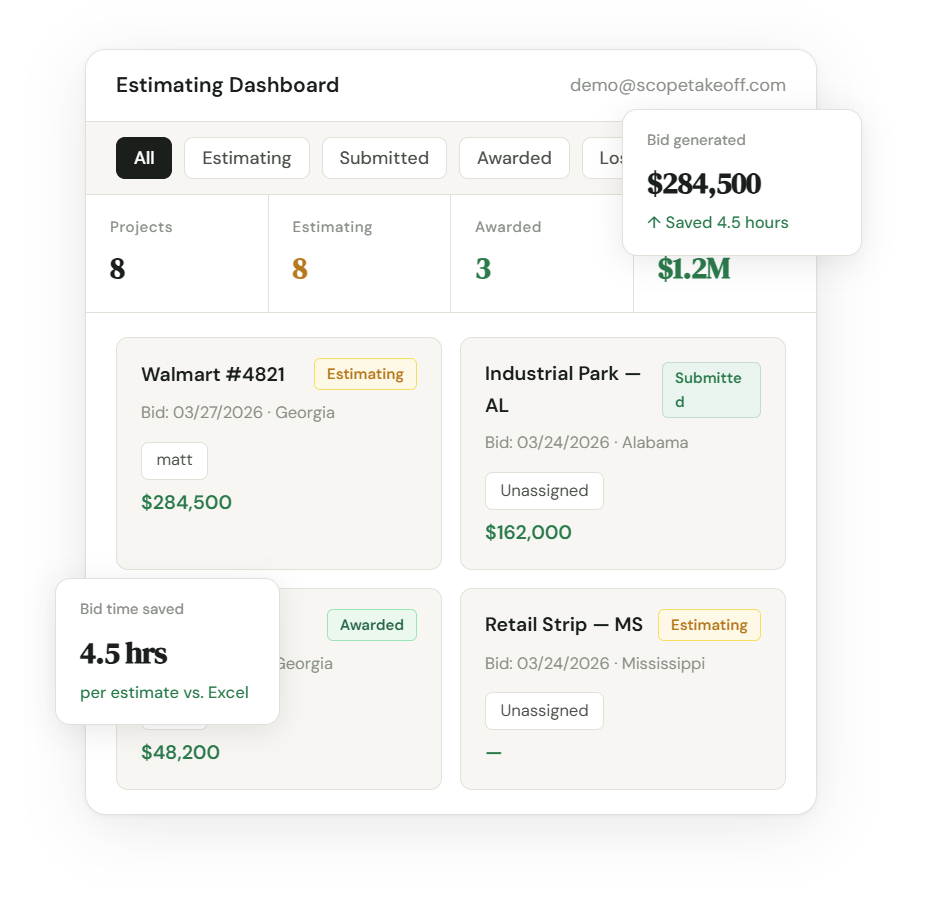
The trial includes all 10+ trade assembly libraries — 577+ pre-priced items covering concrete, masonry, drywall, painting, HVAC, flooring, remodeling, landscape, roofing, and asphalt — with regional pricing that auto-adjusts by state. PDF plan takeoff is included. SOV output for GC submission is included. The full trade list is available at every plan level.
What makes this relevant to someone searching for free construction estimating software: most contractors who try ScopeTakeoff during the trial find that the time saved on their first 2-3 estimates covers the monthly cost. At $100/month and an estimator overhead rate of $50-75/hour, you need to save roughly 1.5-2 hours per month to break even. Most contractors save that on the first estimate.
- 14-day free trial — full access, no feature restrictions
- 577+ pre-priced items across 10+ trades
- PDF plan takeoff included
- SOV output formatted for GC submission
- AI scope generator and plan assistant
- Bid pipeline and calendar tracking
- $100/mo — fraction of STACK or Procore pricing
- Not free after 14 days — $100/person/month
- Credit card required to start trial
- Newer product vs. established competitors
4. Other Free Tiers Worth Knowing
Joist (free tier)
Joist has a free tier that lets residential contractors create basic quotes and invoices. It’s not construction estimating software in the trade-specific sense — there are no assembly libraries, no PDF takeoff, and no SOV output. It’s a quoting app for simple residential work. Useful for a one-person handyman operation. Not useful for a subcontractor bidding commercial work to GCs.
Contractor+ (free tier)
Similar to Joist — free tier for basic estimates and invoices for residential contractors. The paid tiers add more features but it’s not built for trade-specific subcontracting work.
PlanSwift free trial
PlanSwift offers a trial but requires a sales call and is primarily a takeoff tool, not a full estimating platform. Pricing starts around $1,500/year. Not a free option.
Watch out for “free” construction estimating software that requires a sales call, has a 7-day trial with no card required but then requires an annual contract, or has a free tier that locks all useful features behind a paid upgrade. The genuinely free options are Excel, Google Sheets, and a handful of residential quoting apps.
The Math: When Does Free Stop Making Sense?
The case for staying on Excel is strongest when your bid volume is low and your scopes are simple. The case breaks down quickly when you start scaling.
Free vs. $100/month — the real cost comparison
The break-even is one estimate per month. If you’re bidding more than once a month on work where you need accurate quantities, professional output, and SOV formatting — the math stops working in favor of staying free at the second bid.
The contractors who should stay on Excel are those doing 1-3 simple bids per month on identical scope types where they’ve already built a working template. Everyone else is paying more to stay free than they would spend on $100/month software.
The hidden cost of free: One missed item or wrong quantity on a $400k bid costs far more than a year of estimating software. Purpose-built assembly libraries with pre-calculated waste factors, automatic unit conversions, and trade-specific line items reduce estimating errors — which is the real ROI, not just time savings.
FAQ
Try the best free trial in construction estimating
14 days. All 10+ trades. Full access. Credit card required — cancel before day 14 and you won’t be charged.
Start free trial → $100/person/month after trial · No annual contract · Cancel anytime