
Best Remodeling Estimating Software for Contractors in 2026
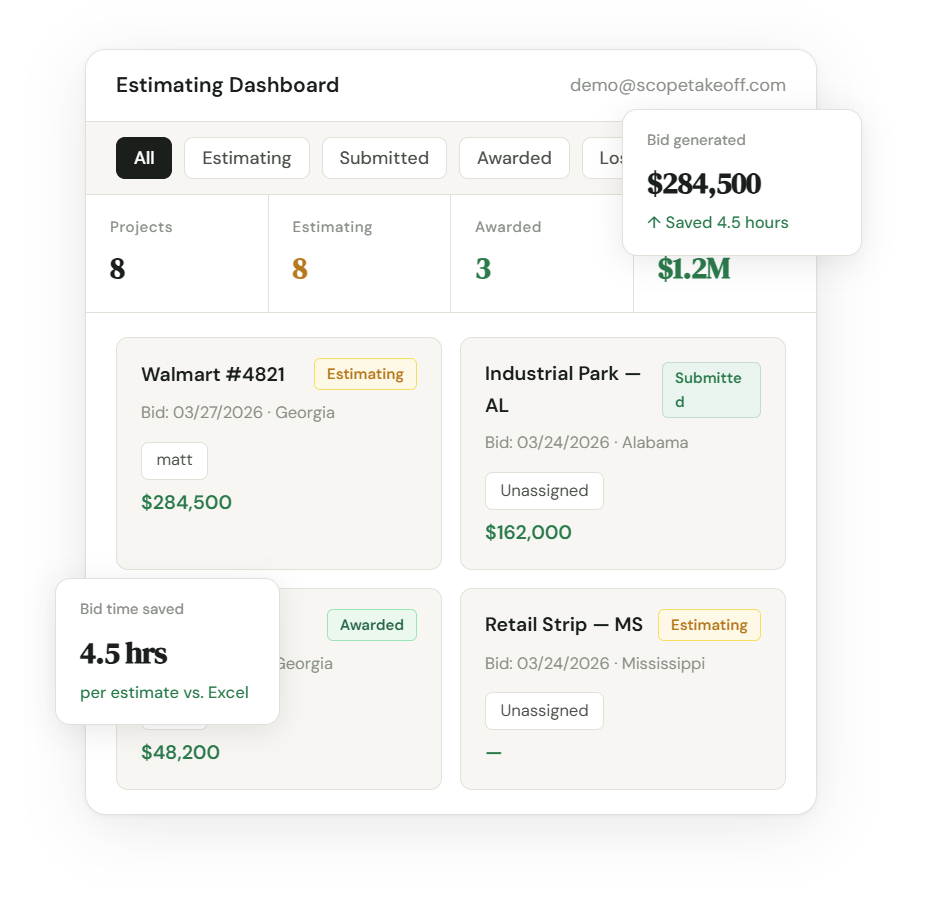
For remodeling and commercial TI contractors, ScopeTakeoff is the strongest remodeling estimating software option on this list because it combines PDF takeoff, multi-trade assemblies, room and area estimating, proposal output, SOV exports for GC submission, and team estimating tools in one workflow. Buildertrend and Houzz Pro can be strong options for residential project management and client communication, while Excel can work for simple estimates.
Why this comparison is different. This isn’t a generic software roundup written by a content team that hasn’t bid a remodel. From 2020 to 2024 I was the estimator and business development lead at Atlanta Concrete Company, where 100% of our roughly $20M in annual contracted revenue came from commercial remodel work for a national big-box retailer’s nationwide store remodel program. We bid concrete, masonry, paint, carpentry, landscaping, fencing, asphalt, striping and signage, selective demo, plumbing, utilities, grading, drywall, tile, polishing, and millwork as a multi-trade subcontractor under GCs running the program from the Southeast through the Northeast and Midwest. I stayed on through the 2024 acquisition, running estimating across the combined operation through 2026. ScopeTakeoff is the tool I built and used internally during that growth — every remodeling assembly on this page exists because we needed it on a real Walmart-program SOV submission.
Remodeling estimating is different from general construction estimating. A remodeler may need to price selective demo, drywall, flooring, cabinets, countertops, tile, fixtures, paint, exterior work, commercial TI scopes, and client-facing proposals from the same project — and a commercial TI subcontractor on a national program may need clean SOV output that lines up with a GC’s bid form on every store.
Some remodeling software is built around residential project management and client communication. Other tools are built around estimating, takeoff, assemblies, and SOV output for GC submission. This comparison reflects what actually worked while estimating $20M+ a year of commercial TI remodel scopes — not what looks good in a sales demo. Where ScopeTakeoff is the right answer I’ll say so. Where another tool genuinely fits better, I’ll say that too.
Quick comparison: best remodeling estimating software 2026
| Feature | ScopeTakeoff | Buildertrend | Houzz Pro | Excel |
|---|---|---|---|---|
| Best fit | Remodeling + commercial TI estimating | Residential GCs | Home pros / client proposals | Simple manual estimates |
| Multi-trade remodel assemblies | Demo, drywall, paint, tile, flooring, millwork, masonry, more | Basic / setup needed | Partial | Manual setup |
| Bathroom remodeling estimating | Tile, vanity, shower, demo, fixtures | Basic | Yes | Manual |
| Kitchen remodeling estimating | Cabinets, counters, flooring, demo, finish | Basic | Yes | Manual |
| Commercial TI support | Big-box, retail, office, medical TI | Limited | Limited | Manual |
| SOV output for GC submission | Included | Limited | Limited | Manual |
| PDF plan takeoff | Included | Limited / varies | Limited / varies | No |
| Pricing style | $100/person/month | Varies by plan | Varies by plan | Free / Microsoft 365 |
Best remodeling estimating software by use case
- Best for remodeling and commercial TI estimating: ScopeTakeoff
- Best for residential GC project management: Buildertrend
- Best for home pros and client-facing sales: Houzz Pro
- Best free option: Excel
What I used at each stage of growth
The right remodeling estimating software depends on how much you’re bidding, how many trades you’re touching per project, and whether you’re submitting to GCs or selling directly to homeowners. Here’s what we actually used as the business scaled from a handful of stores per month to a national TI volume, and the bottlenecks that forced each switch.
- Early years — Excel and a notebook. When we were bidding a few stores a month, a spreadsheet template with line items by trade, a labor rate column, and a markup row got the job done. The bottleneck wasn’t the tool — it was that I forgot line items on roughly one in four bids and didn’t catch it until the GC came back asking why we were missing a scope at submission.
- Growth years — Excel templates plus a separate takeoff tool. As bid volume grew past 5–10 stores per week across the program, the missed-line-item problem stopped being acceptable. We added a dedicated takeoff tool for plan measurement and kept Excel for pricing. It worked, but every estimate involved two systems and a lot of copy-paste between them — and across 15 trades per store, the copy-paste errors compounded.
- Past $1M/month in remodel estimates — built ScopeTakeoff internally. The double-entry between takeoff and pricing was costing 30–45 minutes per bid and producing math errors at a rate I couldn’t tolerate at our volume. We needed PDF takeoff, multi-trade assemblies, room and area estimating, and SOV output formatted for GC submission — all in one workflow. Nothing on the market combined them, so we built ScopeTakeoff for ourselves.
- Through the acquisition — kept using ScopeTakeoff. When the acquiring firm came in, the estimating workflow we’d built was one of the things that didn’t get torn out. I stayed on running estimating through 2026 and ScopeTakeoff stayed in production the entire time, across every trade we bid.
Why this matters for your decision: if you’re a residential remodeler doing a few kitchen and bathroom remodels per quarter, Buildertrend or Houzz Pro might fit better than estimating-first software because client communication is your real bottleneck. If you’re a multi-trade remodeling subcontractor or commercial TI bidder submitting SOVs to GCs, estimating speed and SOV format are the bottleneck and a focused estimating tool is what pays for itself.
1. ScopeTakeoff — Best Remodeling Estimating Software for Contractors
ScopeTakeoff is built for contractors who need to move from takeoff to estimate to proposal without rebuilding every remodel in spreadsheets — and for multi-trade subcontractors who need clean SOV output for GC submission on every project.
For remodeling contractors, ScopeTakeoff supports common remodeling scopes like kitchen remodels, bathroom remodeling, selective demolition, drywall, flooring, painting, tile, millwork, exterior work, and commercial tenant improvement. Users can estimate by room or by area, apply saved assemblies, calculate labor and materials, and export proposals or SOVs from the same system.
For commercial TI work specifically — big-box retail remodels, office build-outs, retail fit-outs, medical office updates — ScopeTakeoff supports the multi-trade scope sheets that GCs typically request: concrete, masonry, paint, carpentry, demo, drywall, tile, polishing, millwork, fixtures, signage, and the rest. The SOV export is formatted for direct GC submission, which is exactly the workflow we needed when we were bidding hundreds of store remodels a year through national-program GCs.
This is useful for contractors who handle both residential and commercial work. Residential remodeling often needs a clear client-facing proposal. Commercial remodeling and TI work often needs a clean Schedule of Values for GC submission. ScopeTakeoff supports both workflows.
At $100 per person per month with a 14-day free trial, ScopeTakeoff is priced for subcontractors and remodeling contractors who want estimating software without a large project management platform attached. It does not include a CRM, client portal, or scheduling — remodeling companies that already use Buildertrend, JobTread, ServiceTitan, QuickBooks, or even paper for those functions can drop ScopeTakeoff in for the estimating workflow without replacing their stack.
- Multi-trade remodeling assemblies — demo, drywall, paint, tile, flooring, millwork, masonry
- Useful for kitchens, bathrooms, exterior work, and commercial TI
- PDF plan takeoff included
- Room and area estimating support
- Client-facing proposal output for residential work
- SOV output formatted for GC submission on commercial TI
- $100/person/month with no annual contract
- 14-day free trial, self-serve onboarding
- Stays focused — does not force you to replace your project management or client portal
- Newer publicly available product with less name recognition than Buildertrend
- No project scheduling or client portal suite
- No CRM or lead management
- Some teams may still need to customize assemblies to match their pricing and production rates
2. Buildertrend — Best for Residential GCs
Buildertrend is one of the most established platforms for residential builders, remodelers, and general contractors. Its strengths are project scheduling, client communication, selections management, document control, and residential project management.
For remodelers who want one system for managing clients and projects end-to-end, Buildertrend is one of the strongest options on the market. The estimating module supports residential workflows and ties into the project management and client portal modules so a job flows from sold proposal to selections to schedule to invoice without leaving the platform.
The tradeoff is that Buildertrend is a full project management platform first and an estimator second. Contractors whose main need is fast, accurate estimating with PDF takeoff and SOV output for GC submission may find it includes more software than they need. It also leans more residential than commercial — multi-trade commercial TI workflows aren’t its primary design target.
- Strong residential project management platform
- Client communication, portal, and selections tools
- Useful for GCs managing full project lifecycles
- Good fit for larger residential remodeling teams
- Mature integrations with QuickBooks and accounting
- Estimating is not the only focus — it’s bundled into a larger suite
- May be more software than estimating-focused contractors need
- PDF takeoff and SOV workflows may be limited depending on setup
- Less focused on commercial TI estimating and multi-trade SOV submission
- Pricing typically requires a sales call
3. Houzz Pro — Best for Home Pros
Houzz Pro is built for home renovation professionals — designers, residential remodelers, and home service pros — who want lead generation through the Houzz marketplace, client-facing proposals, visual presentation tools, and residential project workflows.
It can be a strong option for remodelers who mainly sell residential work and want polished homeowner-facing proposals plus inbound lead flow from the Houzz platform itself. The marketplace component is something neither Buildertrend nor focused estimating tools offer.
The tradeoff is that Houzz Pro is built around residential design-and-build sales. Contractors who also bid commercial TI work, submit SOVs to GCs, or run multi-trade subcontracting operations will need a more estimating-focused workflow on top of Houzz Pro or instead of it.
- Built-in lead generation through the Houzz marketplace
- Polished client-facing proposal tools
- Useful for residential remodelers and home design pros
- Visual presentation and 3D rendering features
- Sales and lead management workflows
- Less focused on commercial remodeling and TI work
- PDF takeoff may be limited depending on workflow
- SOV output for GC submission may be limited
- May not fit subcontractors who need trade assemblies and takeoff-first estimating
- Most valuable when you’re using the Houzz lead pipeline
4. Excel — Best Free Option
Excel is still common in remodeling estimating because it is flexible, familiar, and inexpensive. A contractor can build templates for kitchens, bathrooms, flooring, drywall, paint, demolition, tile, and markup.
For simple or low-volume remodeling bids, Excel can work. The challenge is scale. As bid volume grows, copied templates, broken formulas, inconsistent pricing, version control, and proposal formatting become harder to manage. We ran on Excel for the first stage of growth at Atlanta Concrete and outgrew it the moment we crossed roughly 5–10 stores per week across the program — once you’re managing 15 trades on every bid, the spreadsheet errors compound faster than you can catch them.
- Low cost and familiar
- Flexible and customizable for your specific scopes
- Useful for simple residential bids
- Works as a backup estimating tool
- No built-in PDF takeoff
- No remodeling assembly library
- Room-by-room and multi-trade proposal output must be built manually
- SOV output usually requires extra formatting per GC
- Harder to manage across multiple estimators
- More error-prone as bid volume increases
Commercial TI vs residential remodeling: how the estimating differs
The single biggest mistake I see contractors make when choosing remodeling software is treating residential remodeling and commercial tenant improvement as the same workflow. They’re not. The estimating, the proposal output, and the buyer are all different.
Residential remodeling estimating typically involves:
- Selling directly to a homeowner who is not a construction professional
- Allowances for fixtures, finishes, and selections that haven’t been chosen yet
- Client-facing proposals that explain inclusions, exclusions, and options in plain language
- Per-room pricing or scope grouping that matches how the homeowner thinks about the project
- Change-order management driven by selections made mid-project
Commercial TI and big-box retail remodeling estimating typically involves:
- Submitting to a GC who is running the program for the end client
- Multi-trade scope sheets — concrete, masonry, paint, carpentry, demo, drywall, tile, polishing, millwork, fixtures, signage, sometimes more on a single store
- SOV output formatted to the GC’s submission template, often standardized across the program
- Per-store consistency — when you’re bidding 20–50 stores in a year, every estimate needs to be apples-to-apples
- Tight bid windows, often 5–10 business days from drawings to submitted bid
- Strong audit trail because the GC may ask why a specific scope is priced the way it is
The tools optimize for different things. Buildertrend and Houzz Pro lean residential. Excel lasts longer than people admit on the residential side because the buyer is forgiving. Commercial TI, especially on national programs, is where estimating-first software with multi-trade assemblies and SOV output earns its keep — that workflow is what pushed us to build ScopeTakeoff in the first place.
How to choose remodeling estimating software
The best remodeling estimating software depends on the type of work you bid. A bathroom remodeler, kitchen remodeler, residential GC, multi-trade subcontractor, and commercial TI contractor may all need different workflows.
Before choosing a platform, decide whether your biggest need is estimating speed, project management, client communication, or all of the above.
- Multi-trade remodeling assemblies: Look for assemblies for selective demo, drywall, paint, tile, flooring, millwork, masonry, fixtures, exterior work, and commercial TI.
- Room or area estimating: Residential clients often want to understand pricing by room. Commercial TI clients often want pricing by zone or area.
- PDF plan takeoff: Commercial remodeling and TI work almost always requires measuring from drawings.
- Client-facing proposal output: Residential remodelers need clean proposals that explain what is included, excluded, and optional in homeowner-friendly language.
- SOV output formatted for GC submission: Commercial remodeling subcontractors need SOVs that line up with the GC’s bid form on every project.
- Material and labor customization: The software should let you adjust labor rates, production rates, allowances, waste, and markup by trade and by region.
- Team workflow: If multiple estimators or project managers are involved, look for shared project access and bid review.
- Pricing fit: Avoid paying for a full project management suite if you only need estimating and proposal tools.
Recommendation for remodeling and commercial TI contractors: Start with the workflow you actually need. If multi-trade estimating, PDF takeoff, assemblies, proposals, and SOV output are the priority, ScopeTakeoff is built around those steps at $100/person/month — without forcing you to replace your project management or client portal.
FAQ
Try remodeling estimating software built for contractors
14-day free trial. Multi-trade remodeling assemblies, PDF takeoff, proposal output, SOV exports formatted for GC submission, and team estimating tools included.
Start free trial → Remodeling · Concrete · Masonry · Drywall · Painting · HVAC · Flooring · Landscape · Asphalt · Roofing