
Pre-Built Assemblies for Accurate Material Takeoffs
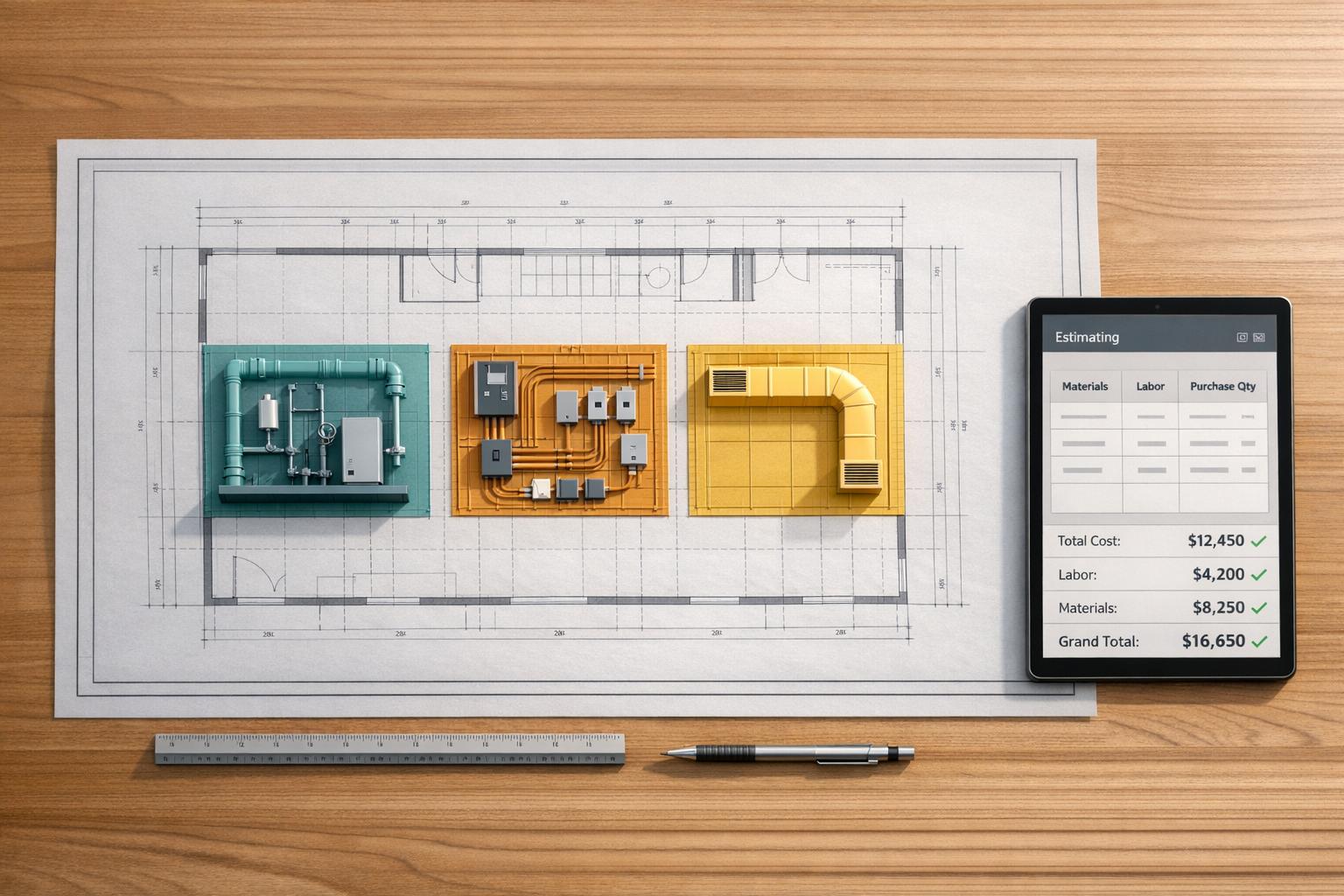
Pre-built assemblies simplify construction estimating by combining materials, labor, and costs into a single calculation. Instead of manually counting and calculating, these tools use one measurement (like square feet or linear feet) to automatically generate detailed material lists and labor estimates. This saves time, reduces errors, and ensures consistent results.
Key takeaways:
- Time Savings: Manual takeoffs take 6–8 hours; pre-built assemblies cut this to 20–30 minutes.
- Improved Accuracy: Automates calculations, reducing the risk of missed items or overestimates.
- Customization: Adjust waste percentages, material depths, and labor rates for project-specific needs.
- Trade-Specific Libraries: Covers over 10 trades (e.g., drywall, roofing, HVAC), with plumbing and electrical coming soon.
- Cost: Flat $100/month per user, with a 14-day free trial.
ScopeTakeoff’s software integrates these assemblies with PDF plan takeoff, making it easier to generate accurate estimates, professional proposals, and purchase-ready material lists.
ScopeTakeoff Pre-Built Assembly Libraries
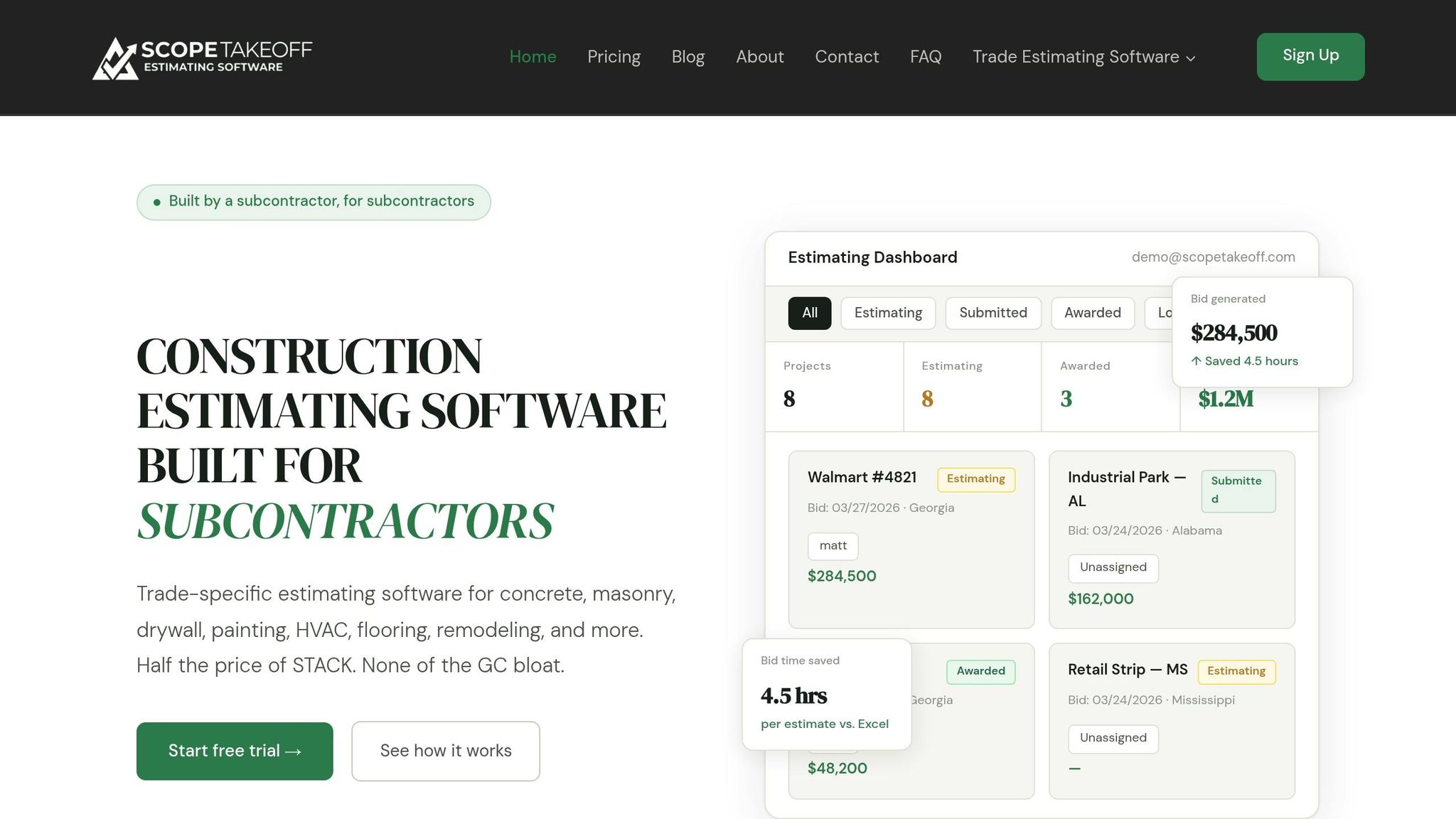
Trade-Specific Libraries in ScopeTakeoff
ScopeTakeoff offers specialized libraries tailored to over 10 trades, making field estimating much easier. These libraries cover industries like concrete, masonry, drywall, painting, HVAC, flooring, remodeling, landscaping, roofing, and asphalt. Libraries for plumbing and electrical work are also in the pipeline. Each library includes calculations designed to replace manual formulas. For instance:
- The concrete library converts square footage and depth into cubic yards automatically.
- Drywall assemblies calculate board counts while factoring in deductions for openings.
- Asphalt assemblies determine tonnage based on square footage and depth.
- Roofing assemblies account for slope adjustments based on pitch.
The software is aimed at subcontractors with annual revenues ranging from $500,000 to $10 million. As Mike C., a masonry contractor, shares:
"The masonry assembly library alone is worth it. I used to count every block by hand off the plans. Now I enter the dimensions and it spits out quantities, mortar, everything."
These trade-specific tools simplify the estimating process, laying the groundwork for the platform’s advanced assembly features.
Features of ScopeTakeoff’s Pre-Built Assemblies
ScopeTakeoff seamlessly combines PDF plan takeoff with assembly calculations. When you upload drawings, the software automatically converts measurements into detailed estimates, breaking down labor and material costs. Advanced yield adjustments handle real-world factors – like waste in flooring assemblies, opening deductions in drywall assemblies, and roofing estimating software with slope adjustments.
Additionally, the system can generate professional documents like a Schedule of Values (SOV) and client-ready proposals with just one click, making them submission-ready for general contractors. Highlighting these efficiencies, Travis W., a roofing subcontractor, says:
"Our estimators turn around 3x as many bids per week now. The SOV export goes straight to the GC – no reformatting, no copying into Word."
sbb-itb-4ee4ad4
Benefits of Using Pre-Built Assemblies
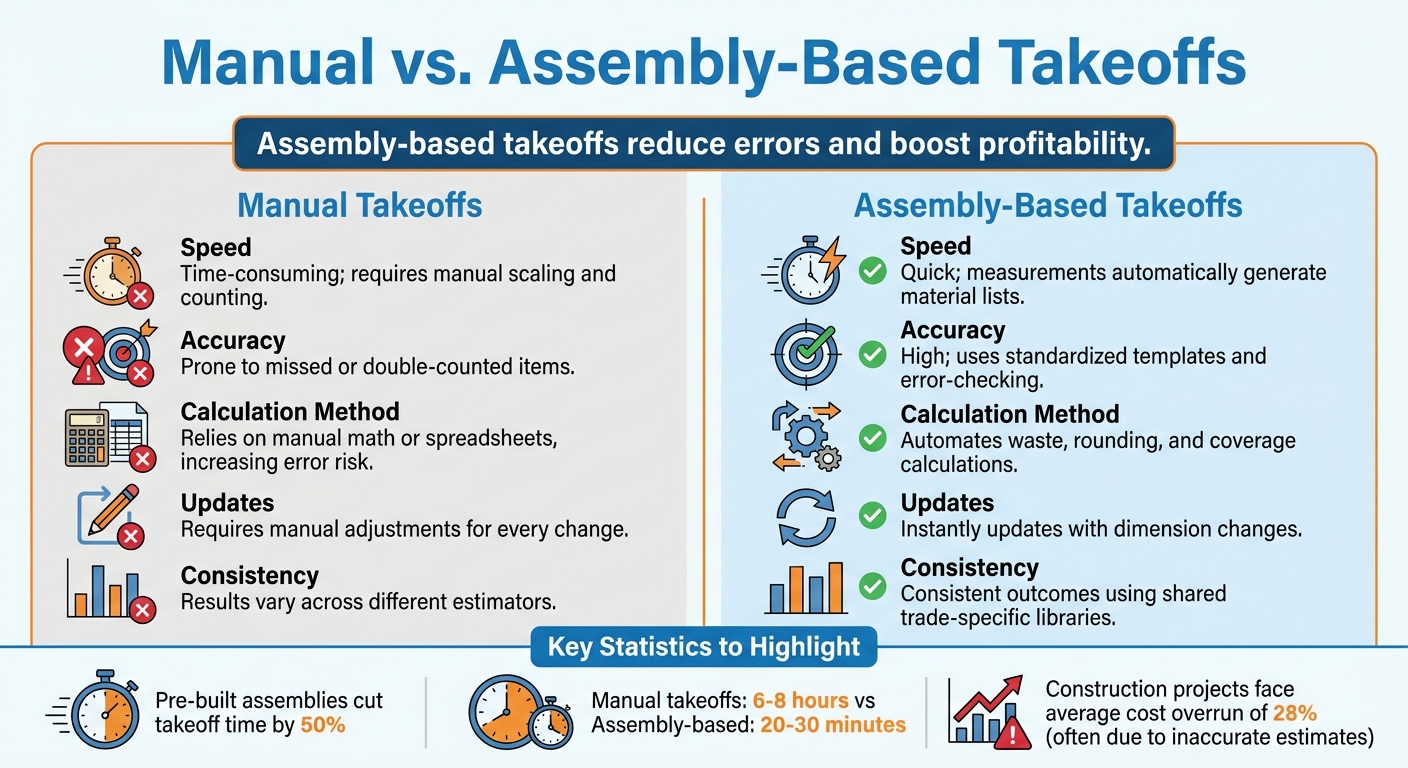
Manual vs Assembly-Based Takeoffs: Speed, Accuracy, and Efficiency Comparison
Pre-built assemblies bring noticeable improvements to construction workflows, offering gains in speed, precision, and overall efficiency.
Time Savings and Faster Workflows
Pre-built assemblies can cut takeoff time by as much as 50%. Instead of manually counting studs, plates, nails, or headers, you simply measure the linear feet of a wall, and the assembly automatically calculates all necessary components.
Plus, any changes to project details – like adjusting the thickness of a concrete slab using concrete estimating software or modifying wall stud spacing – trigger automatic updates to all related materials. No need to dive back into spreadsheets or rework calculations manually.
Better Accuracy and Fewer Errors
By standardizing processes, pre-built assemblies minimize human error. Automated review tools flag missing items and apply formulas for waste, rounding, and coverage, ensuring nothing is overlooked. This precision is critical – construction projects often face an average cost overrun of 28%, with inaccurate estimates being a major factor.
With pre-built assemblies, every necessary component is accounted for, leading to more comprehensive and reliable bids.
Manual vs. Assembly-Based Takeoffs
The advantages of pre-built assemblies become even clearer when compared to traditional manual takeoffs:
| Feature | Manual Takeoffs | Assembly-Based Takeoffs |
|---|---|---|
| Speed | Time-consuming; requires manual scaling and counting | Quick; measurements automatically generate material lists |
| Accuracy | Prone to missed or double-counted items | High; uses standardized templates and error-checking |
| Calculation Method | Relies on manual math or spreadsheets, increasing error risk | Automates waste, rounding, and coverage calculations |
| Updates | Requires manual adjustments for every change | Instantly updates with dimension changes |
| Consistency | Results vary across different estimators | Consistent outcomes using shared trade-specific estimating software libraries |
One firm’s case study highlights these benefits: by adopting assembly-based tools, they sped up their estimating process, reduced errors, and streamlined material purchasing. These improvements directly boosted project profitability and improved client satisfaction. The comparison makes it clear – pre-built assemblies are a game-changer for project efficiency.
How Pre-Built Assemblies Calculate Material Yield
Pre-built assemblies simplify the process of combining materials, labor, equipment, and subcontracting costs into a single calculation. These calculations are triggered by takeoff dimensions – like measuring a wall or floor – and rely on predefined variables such as coverage rates, waste percentages, layers, and depths. These variables convert takeoff measurements into precise order quantities and total costs. The result? A streamlined, automated process that ensures procurement orders reflect complete purchase units, eliminating awkward decimal values.
"Assemblies allow you to combine items that are frequently used together into a single package… with the ability to adjust and change items and input variables such as coverage rates, waste percentages, layers, and depths." – STACK Construction Technologies
This approach provides the flexibility to make project-specific adjustments, improving estimation accuracy through ScopeTakeoff’s trade-focused libraries.
Adjusting Assemblies for Specific Projects
The automated calculations of pre-built assemblies can be further refined to meet the unique needs of any project. During the estimating process, you can modify "Takeoff Properties" – like price per linear foot or individual part markups – to ensure estimates reflect the latest project requirements. Any changes you make to these variables automatically update the overall budget.
For example, you can tweak waste percentages to account for irregular layouts or challenging site conditions that might cause higher material loss. Labor productivity rates can also be adjusted based on crew experience or site-specific challenges, such as updating the "work time in hours" for teams with varying skill levels. Additionally, material costs can be overridden to reflect regional price differences or supplier-specific rates, without altering your master templates.
The "Round Purchase Quantity" feature ensures that exact decimal measurements are converted into practical order quantities – rounding up to the nearest full box, sheet, or roll. This ensures procurement aligns with real-world purchasing habits. Assemblies can also be updated directly within the estimate view, allowing for quick corrections or project-specific tweaks without leaving the worksheet. This adaptability keeps estimates accurate while retaining the efficiency of pre-built assemblies.
ScopeTakeoff Pricing and Features
ScopeTakeoff keeps things simple with its straightforward pricing and practical pre-built assemblies.
Pricing for Subcontractors
ScopeTakeoff charges a flat rate of $100 per person, per month. This fee gives users access to over 10 trade libraries without any setup fees, annual contracts, or add-ons for specific trades. Plus, you can cancel anytime.
To make things even better, ScopeTakeoff offers a 14-day free trial – no credit card required – so you can explore its features risk-free before committing.
Plan Comparison
ScopeTakeoff has two options: the Solo Plan and the Team Plan. These are tailored to meet the needs of both individual estimators and larger teams.
| Feature | Solo Plan | Team Plan |
|---|---|---|
| Monthly Cost | $100 per person | $100 per person |
| Trade Libraries | All 10+ included | All 10+ included |
| PDF Plan Takeoff | Included | Included |
| Projects & Estimates | Unlimited | Unlimited |
| User Logins | 1 User | Multiple (individual logins per seat) |
| Bid Review Workflow | Not applicable | Included |
| Team Dashboard | Personal tracking | Shared team activity view |
| SOV & Proposal Export | Included | Included |
| Multi-Entity Profiles | Supported | Supported |
Both plans include unlimited projects, trade-specific calculations (like cubic yards for concrete or board counts for drywall), and one-click exports for Schedule of Values (SOV). This transparent pricing structure aligns perfectly with the efficiency that ScopeTakeoff’s pre-built assemblies bring to the table.
How to Use Pre-Built Assemblies Effectively
Steps to Use Pre-Built Assemblies
To make the most of ScopeTakeoff’s trade-specific pre-built assemblies, start by picking the assembly that matches your project needs. For instance, if you’re working on a drywall project, select an interior wall assembly instead of one designed for exterior walls. Once selected, customize the assembly by entering details like waste factors, coverage rates, and material depths specific to your project. It’s also crucial to ensure your measurement tools are calibrated properly using a known dimension for accuracy.
Next, take measurements using the software’s point-and-click tools or AI-powered features. Use the zoom function for added precision, and if needed, apply color-coding to track your progress visually. After completing your measurements, review the software’s auto-generated items. Adjust quantities and pricing as necessary, then export your estimate or bill of materials to finalize your work.
Once you’ve mastered these steps, there are additional ways to fine-tune your process for even better efficiency and accuracy.
Tips for Better Efficiency and Accuracy
- Round Measurements for Practical Orders: Avoid ordering awkward fractional units by setting up rounding rules within your assemblies. This ensures your measurements convert into realistic order quantities.
- Standardize Templates: Build a library of global assemblies to maintain consistency across estimators and projects. This minimizes discrepancies in how similar tasks are handled.
- Flexible Cost Management: Assign default costs to assembly items when prices are stable, but leave room for adjustments in fluctuating markets or when dealing with regional price differences.
- Account for Waste Factors: Always include appropriate waste factors in your assemblies. While project plans show theoretical quantities, real-world conditions often require extra materials for cutting or unexpected errors.
- On-the-Fly Edits: Modern software allows you to tweak assembly inputs directly from the estimate view, saving time by eliminating the need to switch back to the takeoff tab.
Conclusion
Pre-built assemblies bring a whole new level of efficiency to the estimation process, offering quick and accurate takeoffs that simplify workflows. By combining materials, labor, and equipment into one cohesive unit, they eliminate repetitive data entry and save time. Instead of manually adding items one by one, these assemblies let you complete estimates faster while maintaining control over critical factors like coverage rates and waste percentages. This combination of speed and accuracy helps avoid costly errors that could lead to budget overruns.
ScopeTakeoff’s trade-specific libraries extend these advantages to over 10 trades, automatically calculating measurements like cubic yards, board counts, and tonnage based on your input. Users consistently highlight the time savings and productivity boosts they experience when using these assemblies.
Additionally, ScopeTakeoff’s transparent pricing makes these tools accessible to subcontractors. For businesses handling $500,000 to $10 million in annual volume, pre-built assemblies safeguard profit margins by reducing the risk of missed items or incorrect quantities – mistakes that could seriously impact the profitability of a single job. Features like the built-in bill of materials simplify conversations with suppliers, and the ability to save custom assemblies as templates ensures consistency across similar projects.
FAQs
What’s the difference between an assembly and a standard takeoff item?
An assembly bundles commonly used items into a single package, making it easier to add them to a takeoff all at once. For instance, instead of separately including drywall, mud, tape, screws, and labor, an assembly groups these items together, saving time and effort.
In contrast, a standard takeoff item involves adding individual components one at a time. This process requires manually measuring and listing each item separately, which can be more time-consuming.
How do I customize assemblies for my crew’s labor rates and local material prices?
To fine-tune assemblies, head to the custom assemblies section in your software. From there, you can create a new assembly or modify an existing one. Adjust the labor rates to align with your crew’s wages, and update material prices based on the latest costs from your local suppliers. Be sure to save your changes so your estimates accurately reflect real project costs. This approach ensures that both material takeoffs and labor estimates are tailored to your specific requirements.
Can I create and save my own assemblies for repeat projects in ScopeTakeoff?
ScopeTakeoff allows you to create and save custom assemblies tailored for repeat projects. You can build, edit, or delete these assemblies, making it easier to streamline your estimating process. This feature helps you handle recurring project requirements efficiently while ensuring consistency across your takeoffs.