
5 Steps to Create a Trade-Specific SOV
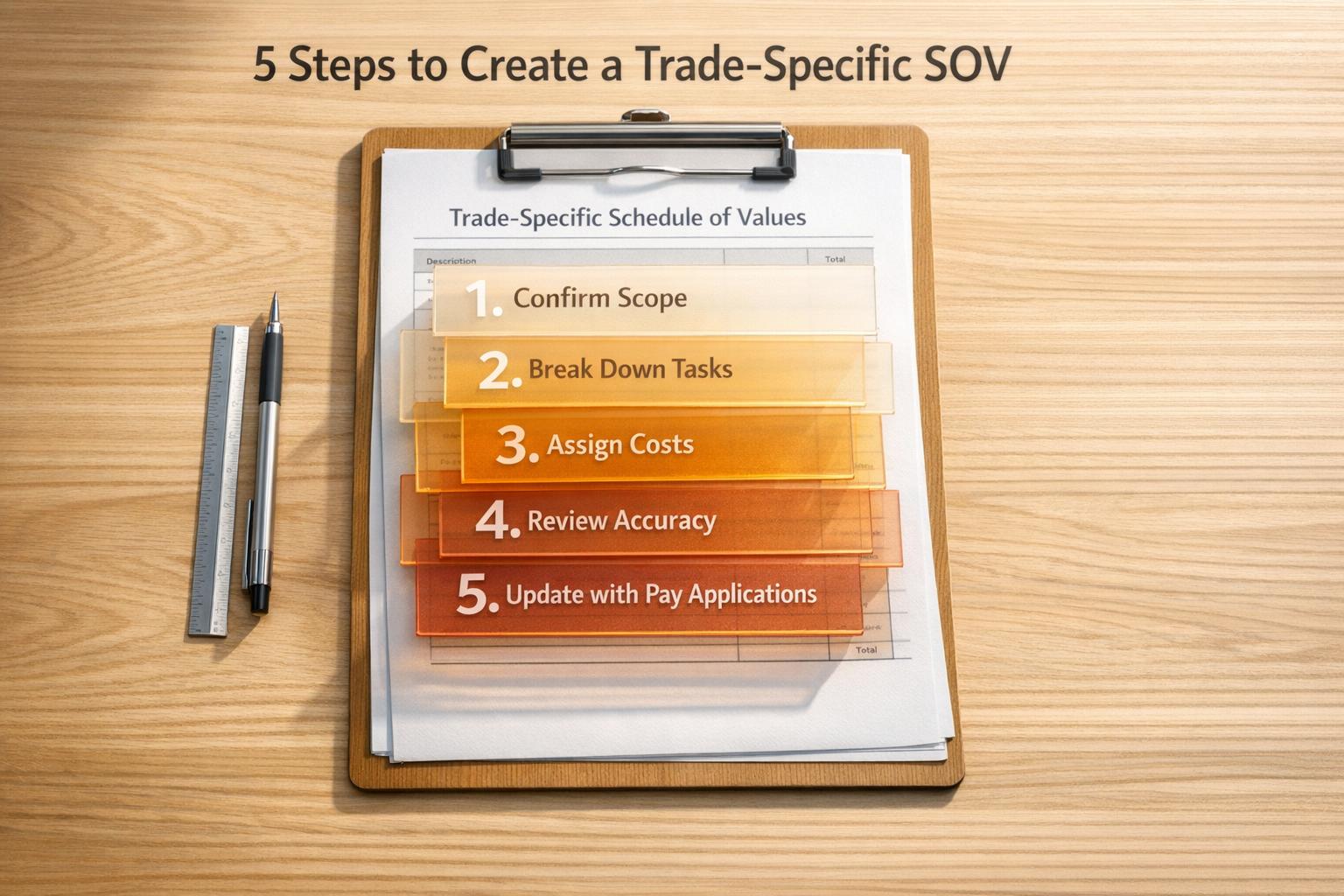
A Schedule of Values (SOV) is a detailed financial breakdown of every task in a construction contract, ensuring accurate billing and smooth cash flow. A trade-specific SOV organizes costs by specific trade tasks (e.g., concrete, HVAC) for clarity and precision. Here’s how to create one:
- Confirm Contract Price and Scope: Ensure all costs align with the contract value, including direct and indirect costs.
- Break Down Trade Tasks: List tasks in order, using clear descriptions and standard formats like CSI MasterFormat.
- Assign Costs: Allocate costs (labor, materials, equipment, overhead) to each task proportionally, avoiding inflated early costs.
- Review for Accuracy: Double-check details to match the project scope and prevent errors or disputes.
- Submit and Update: Incorporate the SOV into pay applications, updating it with progress and approved changes.
Tools like ScopeTakeoff can simplify the process, saving time by automating calculations and formatting for professional results.
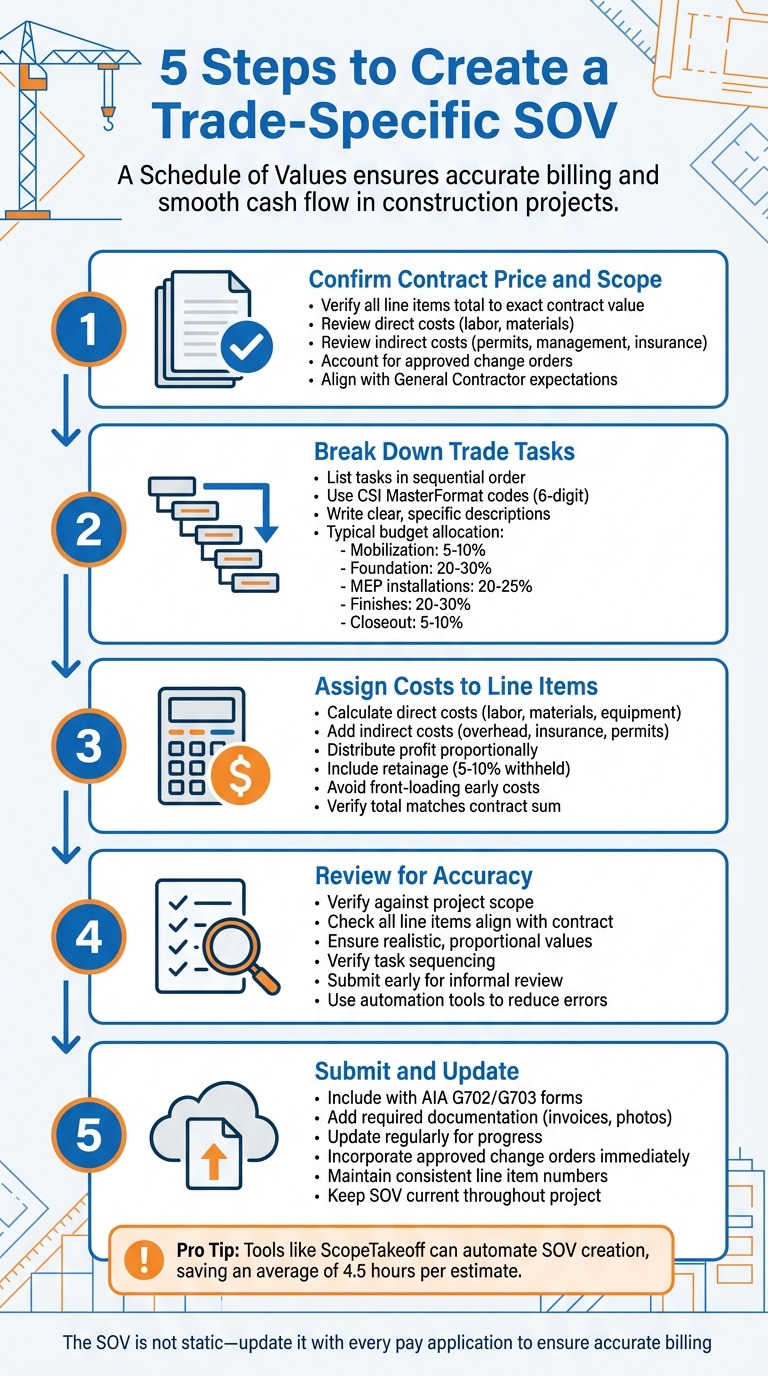
5-Step Process to Create a Trade-Specific Schedule of Values (SOV)
The 3 Schedule of Values Mistakes Causing Payment Delays
sbb-itb-4ee4ad4
Step 1: Confirm Your Contract Price and Trade Scope
Before diving into your Schedule of Values (SOV), it’s crucial to double-check your contract sum. Every line item in your SOV should add up to match the exact contract value. For example, if your contract is worth $245,000, the total of all line items must equal $245,000 – no exceptions. This step lays the groundwork for creating an accurate and detailed cost breakdown later.
"If it costs money to deliver the project, it needs to be somewhere in the SOV." – Archdesk
Review Contract Documents
Start by reviewing your contract thoroughly to identify all costs involved. This includes direct costs like labor and materials, as well as indirect costs such as permitting, management fees, and insurance.
It’s also important to understand whether your contract is a stipulated sum or a Guaranteed Maximum Price (GMP) agreement. GMP agreements, for instance, often include cost caps and audit requirements that can influence how you structure your SOV. Don’t forget to account for any approved change orders to ensure your SOV reflects the most current contract value.
Align with General Contractor
Once you’ve reviewed your contract, the next step is to sync up with your general contractor (GC). Discuss the level of detail they expect in your SOV. Many projects rely on the CSI MasterFormat, which uses standardized 6-digit codes (e.g., Division 03 for Concrete). Some GCs may also require you to break down work into smaller line items, especially if the value is less than $20,000, to improve tracking and transparency.
It’s a good idea to share a preliminary draft of your SOV with your GC to ensure your cost breakdown and level of detail meet their expectations. Using standardized frameworks like the CSI MasterFormat can be a game-changer – it allows projects to reforecast costs-to-complete in just 3.5 days, compared to 11 days when using less organized, ad-hoc coding methods.
Step 2: Break Down Trade Tasks into Line Items
Once your contract price is finalized, it’s time to transform that figure into a detailed plan. This is where a Work Breakdown Structure (WBS) comes into play. By breaking the scope into specific tasks, you can track costs more accurately and ensure nothing falls through the cracks.
Start by reviewing all project documents – drawings, specifications, and the scope of work. These will help you pinpoint every task that requires funding, from the initial kickoff to the final closeout. Be sure to account for both direct costs (like labor and materials) and indirect costs (such as administrative expenses and mobilization).
"The SOV serves as a complete representation of the project, detailing all the elements and activities from construction kickoff to closeout." – Procore
List Tasks in Sequential Order
Arrange your line items in the order they’ll occur during the project. For example, foundation work should come before framing, and rough-in tasks should precede finishing touches. This logical order helps general contractors and owners confirm progress and approve payments more efficiently.
A typical sequence might look like this:
- Mobilization: 5–10% of the budget
- Foundation work: 20–30% of the budget
- MEP (Mechanical, Electrical, Plumbing) installations: 20–25% of the budget
- Finishes: 20–30% of the budget
- Closeout tasks: 5–10% of the budget
Aligning these tasks with standard CSI (Construction Specifications Institute) divisions can also enhance clarity and ensure consistency with industry norms. Once you’ve listed the tasks, include detailed descriptions for each one.
Write Clear Descriptions
Clarity is key when describing tasks. Avoid general terms – specificity can prevent confusion or disputes later on. For instance, instead of writing "Electrical Work", break it down into tasks like "conduit installation", "fixture mounting", and "panel installation." This level of detail helps everyone involved understand the scope and reduces the risk of misunderstandings.
"Vague or generalized descriptions can lead to misunderstandings, disputes and potential change orders during later project stages." – Procore
To keep things organized, assign sequential item numbers to every task. These reference points make it easier for stakeholders to follow along. Before finalizing your SOV, collaborate with your estimating team and field supervisors to confirm the breakdown reflects the necessary resources and time for each task.
Step 3: Assign Costs to Each Line Item
Break down costs for each line item so that the total matches the contract value exactly.
Each line item should reflect direct costs – like labor, materials, and equipment – as well as indirect costs such as overhead, insurance, permits, and administrative expenses. Don’t forget to include your profit margin, spreading it proportionally across the project instead of concentrating it in one category.
Calculate Costs Accurately
Start by calculating direct costs using trade estimating software. This includes wages and benefits for labor, materials (even those stored for later use), and equipment. Next, factor in indirect costs like project management fees, safety equipment, site utilities, and contingency allowances. Distribute these costs proportionally based on the scope of each task.
Avoid front-loading, which is inflating early project costs to boost cash flow. Robbie Reynolds, VP of Business Development at Billd, cautions:
"Overbilling could actually lead to slower payments because of disputes on the SOV from the property owner".
Front-loading can lead to disputes and harm your reputation.
| Cost Component | Description |
|---|---|
| Labor | Wages and benefits tied to specific tasks |
| Materials | Physical goods needed for tasks, including stored materials not yet installed |
| Equipment | Costs for machinery, tools, and specialized equipment |
| Indirect Costs | Overhead, insurance, permits, and administrative expenses |
| Scheduled Value | Total value assigned to a line item (Labor + Materials + Equipment + Overhead + Profit) |
Once all line items are costed, review additional contractual provisions.
Include Retainage and Other Expenses
Most construction contracts include retainage, a percentage (usually 5% to 10%) of each payment withheld until the project is fully completed. This serves as a quality assurance measure for owners and general contractors. While retainage isn’t listed as a separate line item in the Schedule of Values (SOV), it’s essential to factor it into cash flow planning.
Also, account for other expenses like permits, bonds, and inspections. Leave some flexibility for potential change orders.
Finally, double-check that the scheduled values add up to the total contract amount. As Document Crunch emphasizes:
"The sum must match the contract".
Step 4: Review Your SOV for Accuracy
After completing the detailed cost assignments in Step 3, it’s time to carefully review your Schedule of Values (SOV) before submitting it. Mistakes in the SOV can lead to disputes, delayed payments, and even cash flow issues.
Verify Against Project Scope
Start by ensuring that every line item, including approved change orders and indirect costs, fully aligns with the signed contract and project scope. Your SOV should reflect the entire scope of work – this includes not just the obvious tasks but also indirect costs like permits, supervision, mobilization, and temporary facilities. Take the time to cross-check each line item with the contract documents to make sure nothing is missed.
Pay close attention to the values assigned to each item. They should be realistic and proportional to the work. Avoid the temptation to frontload early tasks, as this can lead to conflicts with owners or lenders. Also, check the sequencing of tasks to ensure it aligns with on-site progress tracking and that payments correspond to actual project milestones.
For projects involving lenders or owners with specific requirements, consider submitting your SOV early for an informal review. This proactive step can catch errors before the formal billing process begins, helping you avoid delays in receiving your first payment.
To further reduce errors, you might want to consider using automation tools for calculations.
Use ScopeTakeoff to Reduce Errors
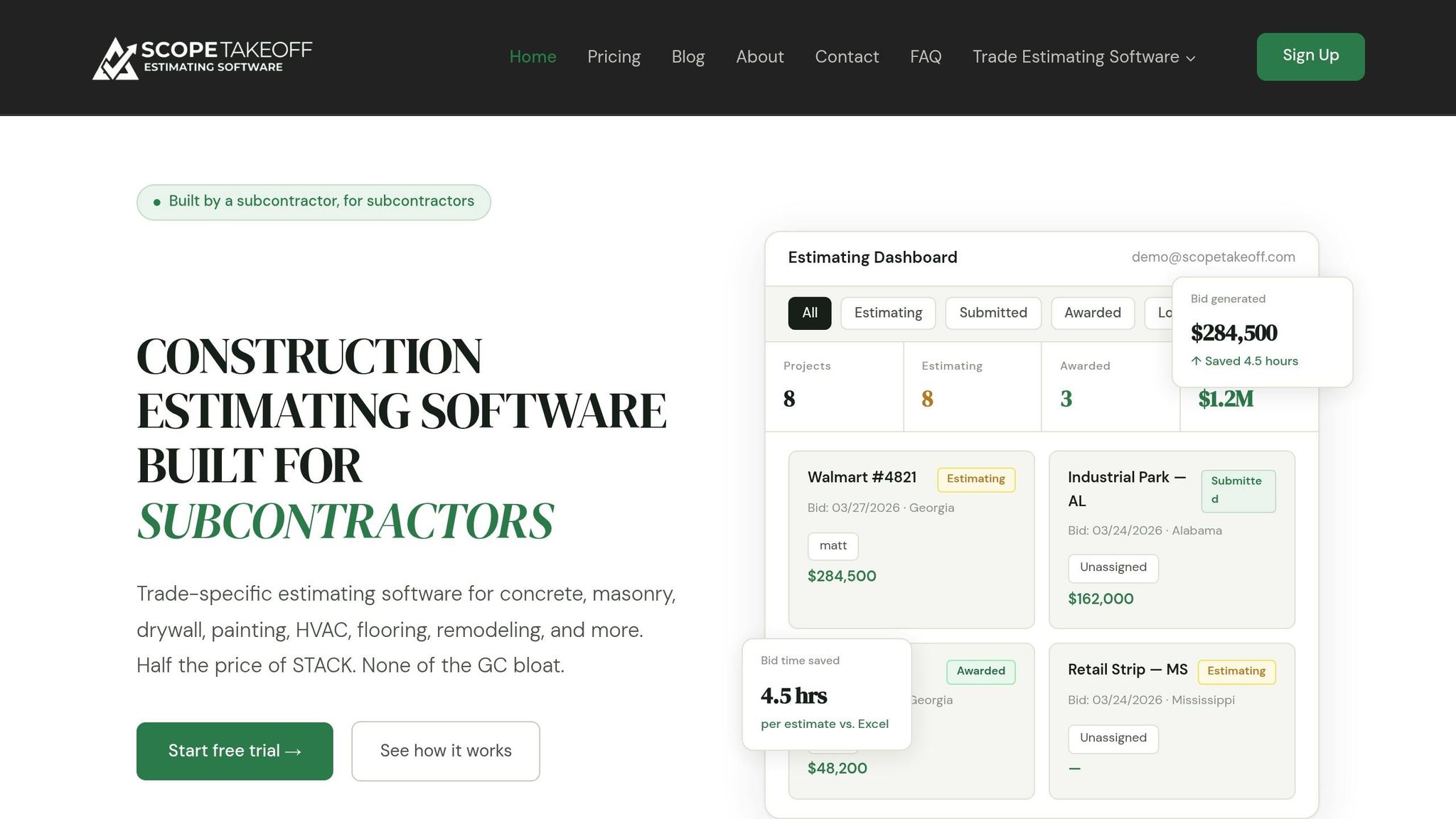
Once you’ve manually reviewed your SOV, tools like ScopeTakeoff can help eliminate calculation errors. Manual SOV preparation often leads to mistakes, especially when dealing with varied quantities, unit prices, and cost categories. ScopeTakeoff simplifies this by generating SOV outputs directly from your estimate, ensuring that totals match the contract without transcription errors.
The tool comes with pre-built assembly libraries that include labor, materials, and equipment costs tailored to your trade. This feature makes it easier to assign accurate values without starting from scratch. It also recalculates adjustments and change orders automatically, keeping your SOV accurate as the project evolves.
Step 5: Submit and Update Your SOV with Pay Applications
After completing the final review of your Schedule of Values (SOV), it’s time to incorporate it into your pay application process. This isn’t a one-and-done task – you’ll need to revisit and update the SOV throughout the project to reflect actual progress and any approved changes.
Submit with Required Documentation
Once your SOV is finalized, include it in your payment application. Use the AIA G702 and G703 forms for this purpose. The G702 acts as the summary cover page, while the G703 contains the detailed breakdown of the Schedule of Values. Remember, the G702 must be signed and notarized to ensure it’s valid for payment.
In addition to these forms, you’ll usually need to include an updated project schedule that outlines completed work and a three-week look-ahead. For materials not yet installed, provide supporting documents such as invoices, photos, and a stored material summary (e.g., CSI Form 2.5A). Approved change orders should also be included, either as new line items or adjustments to existing ones.
"Contractors don’t get paid for the work they complete. Contractors get paid for the work they document."
– Gisel Marisol Hernandez, Senior Consultant, VERTEX
Before formally submitting the pay application, share a draft with the owner or architect for feedback. This step can catch potential issues early. For instance, in December 2025, Commodore Builders successfully used this approach during a complex commercial project. By leveraging tools like Document Crunch and Procore, they aligned their SOV with contract requirements, which helped resolve discrepancies in payment terms and scope descriptions. This proactive step reduced confusion and streamlined the pay application process. Clear documentation ensures smoother billing and payment cycles.
Update for Progress and Changes
Once submitted, your SOV needs regular updates to reflect actual project progress. During each billing cycle, update each line item to show completed work, current progress, and stored materials. As materials are installed, adjust the "stored" figures and increase the work-in-place totals to avoid double counting.
Incorporate approved change orders immediately so the SOV total aligns with the updated contract sum. Use consistent line item numbers and descriptions across all billing periods, as reviewers will compare applications from one month to the next. Any discrepancies could raise questions and slow down approvals.
If you’re using spreadsheets instead of construction estimating software, safeguard critical formulas – such as those calculating "Total Completed" or "Balance to Finish" – by locking the cells. This helps prevent accidental errors that could disrupt the audit trail. Common reasons for pay application rejections include broken formulas, incorrect rollovers from previous periods, or mismatched totals between the SOV and the pay application summary. Attention to detail here can save time and avoid delays in payment.
How ScopeTakeoff Simplifies Trade-Specific SOV Creation
Manually creating a Schedule of Values (SOV) in Excel can eat up hours of valuable time. ScopeTakeoff changes the game by automating the process, allowing subcontractors to generate a professional SOV instantly. Beyond the accuracy and reduced errors discussed earlier, this tool takes efficiency to the next level, specifically for trades like concrete, masonry, drywall, painting, HVAC, flooring, remodeling, landscaping, roofing, and asphalt. With pre-built assembly libraries, it automatically breaks down labor and materials, ensuring your trade-specific SOV is clear and ready for timely billing and cash flow management.
Features for SOV Creation
ScopeTakeoff simplifies SOV creation with its one-click generation feature. Once your estimate is complete, the platform instantly produces a polished, GC-ready Schedule of Values, already branded with your company details – no extra formatting required.
The pre-built trade-specific assembly libraries handle complex calculations automatically. For example, it can convert dimensions into cubic yards for concrete or factor in slopes for roofing, saving time and reducing errors.
Another standout feature is the integrated PDF plan takeoff. This allows you to measure quantities directly from uploaded drawings and seamlessly transfer them into your estimate – no need to retype data. Subcontractors report saving an average of 4.5 hours per estimate compared to Excel and completing three times as many bids per week. These tools not only cut down manual effort but also ensure every detail meets project requirements.
Benefits for Subcontractors
ScopeTakeoff brings precision to the process by generating the SOV directly from bid quantities, eliminating common transcription errors. On average, users save 4.5 hours per estimate. At $100 per person per month – with no annual contract – it’s a cost-effective solution for subcontractors handling yearly project volumes between $500,000 and $10 million.
"The SOV export goes straight to the GC – no reformatting, no copying into Word. It looks professional every time".
Jason R., a concrete subcontractor from Atlanta, GA, shared his experience:
"We were on STACK at $600/month and using maybe 20% of it. ScopeTakeoff has everything we actually need for our concrete work. Cut our bid time in half".
The platform also supports multi-entity profiles, automatically populating the correct license numbers and signatories on SOV documents. This ensures compliance without the need for manual updates. Plus, a 14-day free trial – with no credit card required – lets you test the software with real projects before making a commitment.
Conclusion
Create a trade-specific Schedule of Values (SOV) by confirming your contract, breaking down tasks, assigning accurate costs, double-checking for mistakes, and keeping it updated with every pay application. This structured approach helps maintain steady cash flow and ensures clear, accurate billing throughout the project.
Remember, the SOV isn’t a static document. As David Spivac from hh2 explains, "A well-prepared Schedule of Values (SOV) is not just a financial tool; it is a cornerstone of successful project management in construction". Regular updates, especially after approved change orders, ensure your billing aligns with actual progress and reduce the risk of disputes that could slow down payments.
Manually creating an SOV in Excel can lead to errors and wasted time. ScopeTakeoff simplifies this process by generating a professional, general contractor-ready SOV directly from your estimate with just one click. It handles the complex calculations for you, so you can focus on securing more work.
At $100 per person per month with no annual contract, ScopeTakeoff provides an affordable and flexible way to streamline your bid preparation process.
FAQs
How detailed should my trade-specific SOV be?
A trade-specific Schedule of Values (SOV) lays out each scope of work with its corresponding costs, ensuring the total matches the full contract value. It should include precise dollar amounts, clear descriptions, and details for tracking progress.
The SOV must strike a balance between being detailed enough for accurate billing, monitoring, and minimizing disputes, without becoming overly complicated. Every work item should be listed and described clearly to avoid any confusion or missed details.
What costs are commonly missed in an SOV?
Commonly overlooked costs in a Schedule of Values (SOV) often include indirect expenses. These can easily slip through the cracks without thorough scrutiny, potentially leading to inaccurate project cost estimates and budget problems. Indirect expenses might cover items like administrative fees, equipment maintenance, or insurance. While not directly linked to specific tasks, these costs are crucial to ensuring the project’s successful completion.
How do I handle change orders in my SOV?
To manage change orders in your Schedule of Values (SOV), make sure to revise it to reflect any approved changes in the project scope. This means updating line items to account for added, removed, or modified quantities and costs.
The updated SOV should match the revised scope and serve as the foundation for progress billing. This approach ensures clarity, accurate payments, and effective project tracking. Keeping the SOV updated regularly can help avoid misunderstandings and ensure adherence to the terms of the contract.