
Best Estimating Software for Small Contractors: 8 Options
Small contractors often face costly inefficiencies with manual estimating methods like spreadsheets. Switching to dedicated estimating software can save time, reduce errors, and boost bid success rates. Here are eight top solutions tailored for small contractors, each offering unique tools and pricing:
- ScopeTakeoff: AI-powered tools for automated measurements and trade-specific assemblies. Starts at $100/month per user.
- Clear Estimates: Pre-loaded cost databases and project templates for residential remodelers. Starts at $59/month.
- Buildxact: All-in-one tool for estimating, scheduling, and job costing. Starts at $149/month.
- STACK: Cloud-based platform with trade-specific automation and real-time collaboration. Starts at $2,499/year.
- PlanSwift: Offline desktop tool with point-and-click takeoff capabilities. One-time cost of $1,749 + $349/year for maintenance.
- Procore: Comprehensive project management and estimating system. Pricing starts around $5,000/year.
- Sage Estimating: Advanced cost databases and integrations for commercial contractors. Pricing starts at $833/month per user.
- CostX: 2D/3D takeoff with live-linked spreadsheets and BIM capabilities. Custom pricing.
Each tool addresses common challenges like time-consuming takeoffs, pricing errors, and outdated data. Choosing the right software depends on your trade, budget, and team size.
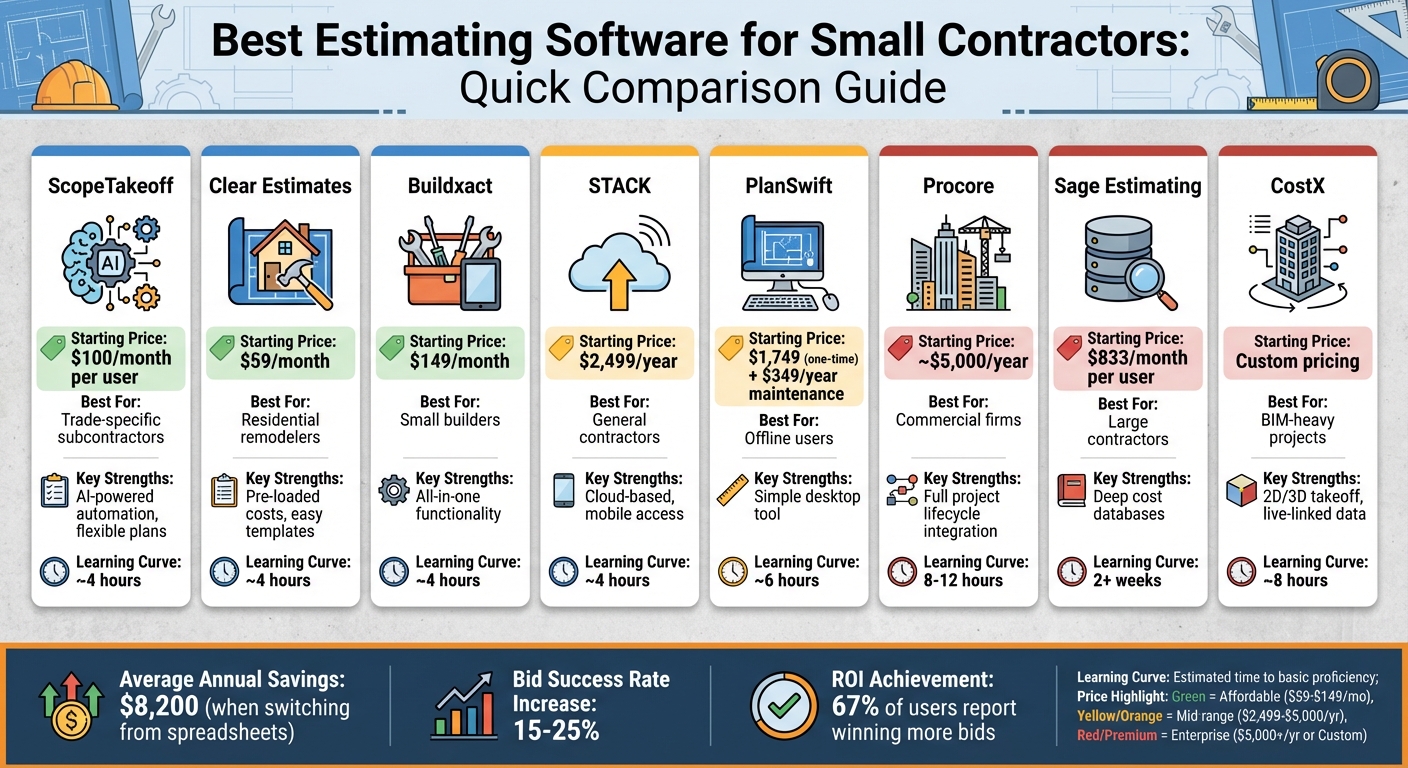
Estimating Software Comparison: Features, Pricing & Best Use Cases for Small Contractors
Construction Estimating Software – What you need, and what you don’t
Subcontractors often benefit from trade-specific estimating software that includes pre-built assembly libraries for their specific craft.
sbb-itb-4ee4ad4
Quick Comparison
| Software | Starting Price | Best For | Key Strengths | Limitations |
|---|---|---|---|---|
| ScopeTakeoff | $100/month | Trade-specific subcontractors | AI-powered automation, flexible plans | Newer platform |
| Clear Estimates | $59/month | Residential remodelers | Pre-loaded costs, easy templates | No digital takeoff tools |
| Buildxact | $149/month | Small builders | All-in-one functionality | Higher cost |
| STACK | $2,499/year | General contractors | Cloud-based, mobile access | High annual cost |
| PlanSwift | $1,749 (one-time) | Offline users | Simple desktop tool | No mobile/cloud access |
| Procore | ~$5,000/year | Commercial firms | Full project lifecycle integration | Expensive, steep learning |
| Sage Estimating | $833/month | Large contractors | Deep cost databases | Overkill for small teams |
| CostX | Custom pricing | BIM-heavy projects | 2D/3D takeoff, live-linked data | Complex for small teams |
Switching to estimating software can save contractors up to $8,200 annually while increasing bid success rates by 15–25%. Evaluate your trade-specific needs, budget, and team size to find the best fit.
1. ScopeTakeoff
Tools Designed for Specific Trades
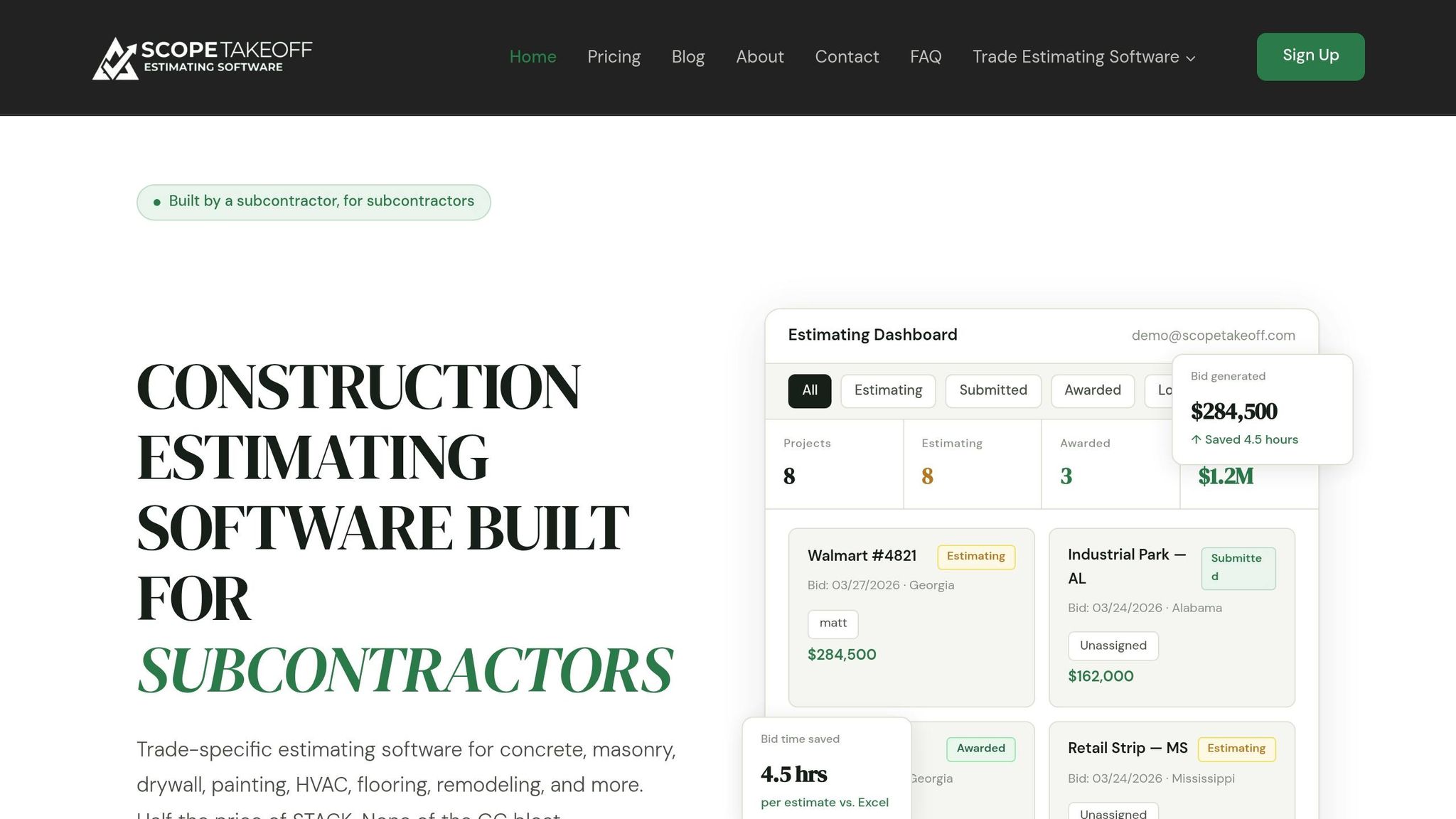
ScopeTakeoff tackles the challenges of manual estimating by using AI-powered tools to automate essential measurement tasks. Its standout feature, AutoTake AI, identifies and measures materials like siding, brick, and block directly from uploaded plans – no need for contractors to manually trace walls or count individual units anymore.
With Smart Scopes, users can draw a single measurement and instantly generate material quantities for entire assemblies. For instance, by outlining the perimeter of an exterior wall, the platform calculates everything from framing and insulation to drywall and finish materials. Other helpful features include Smart Suggestions, which analyzes uploaded plans to recommend the best takeoff systems, and AutoScale, which detects a plan’s scale and only requires a quick confirmation of a known dimension to get started. These tools not only save time but also help reduce costs.
Affordable Solution for Smaller Contractors
ScopeTakeoff is priced with small contractors in mind, offering a Solo or Team plan at $100 per person per month. This plan includes all trade assembly libraries and features such as PDF plan takeoff, unlimited projects and estimates, schedule of values (SOV) export, client-facing proposal export, bid review workflows, and support for multiple entity profiles. Plus, the subscription is flexible – there are no long-term commitments, and users can cancel anytime. It’s a comprehensive solution that provides excellent value for smaller operations.
Simplifying Takeoffs and Estimates
Beyond its automation and straightforward pricing, ScopeTakeoff makes the entire process of takeoffs and estimates easier. Contractors can upload PDF plans with ease, and real-time on-screen measurement tools calculate areas and linear dimensions instantly. The platform also includes assembly libraries for over 10 trades, covering areas like concrete, masonry, drywall, painting, HVAC, flooring, and roofing. Instead of starting material lists from scratch, users simply select an assembly, apply it to the measured areas, and let the software handle the rest – generating complete material quantities in seconds.
2. Clear Estimates
Trade-Specific Tools and Automation
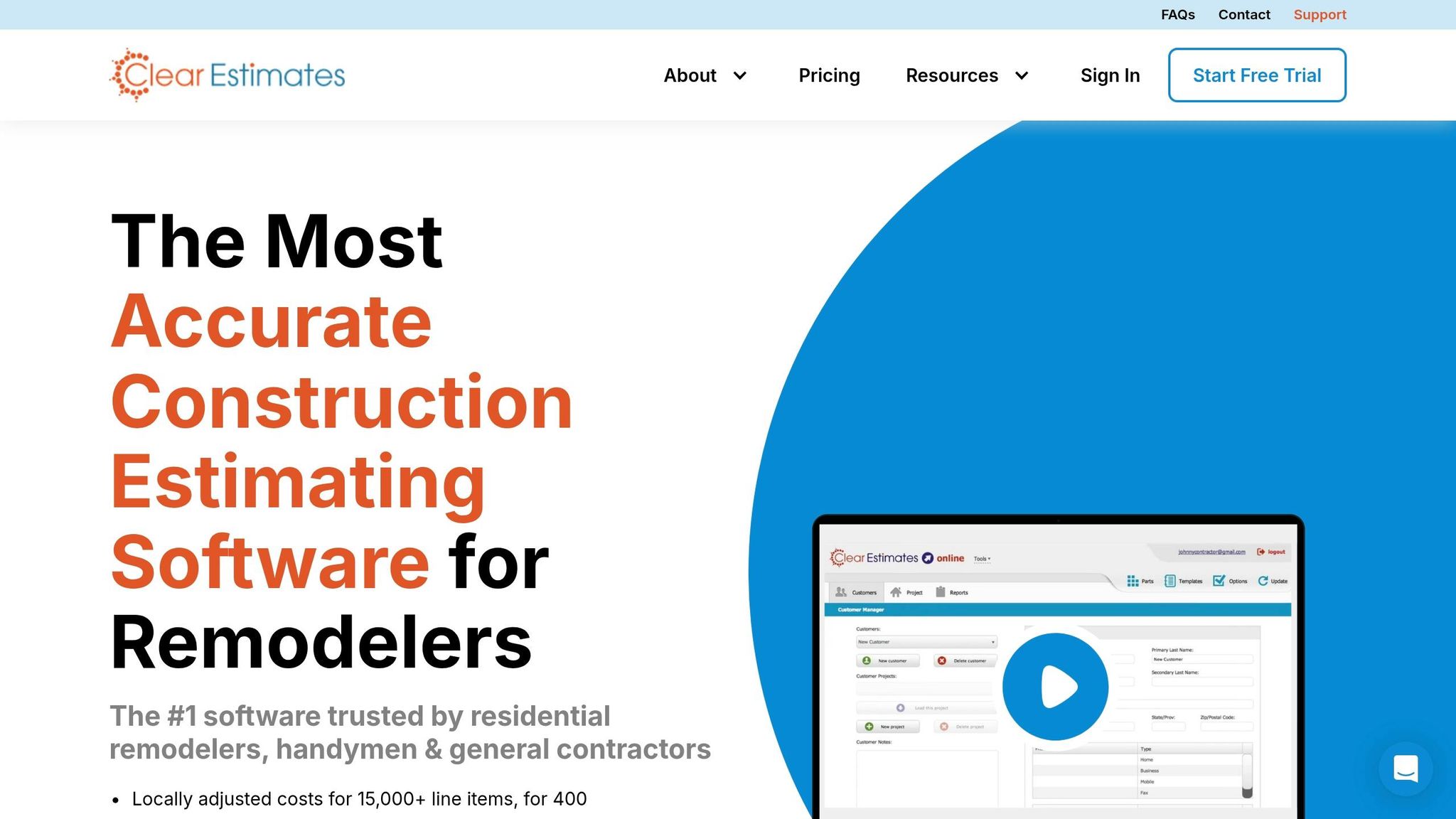
Clear Estimates is designed to tackle the inefficiencies of manual estimating, offering a streamlined solution for residential remodelers, handymen, and general contractors. The software comes equipped with a pre-loaded database containing between 12,000 and 15,000 line items, all featuring localized material and labor costs for over 400 U.S. metro areas. These costs are based on RSMeans residential data, which is updated quarterly to account for inflation and market trends.
To make the process even faster, Clear Estimates includes over 500 project templates, covering tasks like painting, flooring, and framing. These templates allow users to quickly create detailed estimates. Once completed, the estimates are automatically converted into professional, branded proposals. These proposals even include pre-written contract language and digital signature options, making them ready to send out immediately.
Integration with Workflows and Project Management
For those using project management tools, Clear Estimates Pro offers several useful integrations. Estimates can be exported as CSV files and imported directly into BuilderTrend. The platform also syncs seamlessly with QuickBooks Online and QuickBooks Desktop (Windows), eliminating the need for redundant data entry. Additionally, the Pro plan supports CRM integration through Zapier, enabling automatic updates to customer contact information. These features make it easier to connect estimates with broader project management workflows.
Cost-Effectiveness for Small Contractors
Clear Estimates keeps costs manageable for small teams. The Standard Plan is priced at $59 per month (billed annually), while the Pro Plan costs $99 per month. Additional users can be added for $9 per month each. By switching from spreadsheet-based estimating, small contractors could save up to $8,200 annually. Plus, there are no contracts or setup fees, making it an affordable choice for professional estimating.
Ease of Use for Takeoffs and Estimates
Clear Estimates stands out for its user-friendly design, with most contractors achieving basic proficiency in just 2–3 hours. However, it does lack digital takeoff capabilities, meaning users must manually enter quantities. For contractors who regularly work with digital plans, pairing Clear Estimates with a dedicated takeoff tool like Bluebeam or OnScreen Takeoff is recommended.
One Capterra reviewer shared their experience:
It took me two weeks to become proficient, reducing an estimate process from three hours to 45 minutes.
Next, we’ll dive into another tool that prioritizes efficiency in a similar way.
3. Buildxact
Trade-Specific Tools and Automation
Buildxact stands out with its Blu digital assistant, which simplifies tasks like scaling digital plans, creating task lists with material recommendations, and reviewing estimates. One of its key features is the ability to connect directly with local material suppliers, such as The Home Depot, providing live, automatically updated pricing. This eliminates the need for time-consuming calls to check current costs.
For contractors frequently working on repetitive projects like kitchen or bathroom remodels, Buildxact offers reusable templates, known as "assemblies", for quantity takeoffs and estimates. This feature significantly reduces repetitive work. Keith Perez, owner of TXN Remodeling n Construction, shared how this transformed his work process, cutting his estimating time by 66%:
My life prior to Buildxact was all work – no life. I was easily spending 30 to 40 hours per week, on top of a normal 40-hour work week trying to create estimates.
This level of automation creates a smoother, more efficient workflow.
Integration with Workflows and Project Management
Buildxact supports a seamless end-to-end workflow, moving data effortlessly from takeoffs to estimates, then into quotes, schedules, and purchase orders. This eliminates the need for redundant data entry. It also integrates with accounting tools like QuickBooks and Xero. For added convenience, the Buildxact Onsite mobile app allows contractors to manage leads and tasks directly from the job site.
Jaime Hommerding, VP of Production at XPRES Kitchen & Bath, highlighted the platform’s ability to track actual costs against estimates, which helped prevent small cost overruns from piling up. The company saw a 136% return on investment in the first year:
Now we can see actual costs against the estimate during the job, and those small leaks don’t get ignored anymore.
This streamlined approach not only saves time but also enhances financial control.
Cost-Effectiveness for Small Contractors
Buildxact’s pricing is designed with small teams in mind, offering unlimited users across all plans. The Foundation plan starts at $169 per month (billed annually), while the Pro plan is priced at $339 per month and includes features like GANTT charts, mobile app access, and accounting integrations. For $509 per month, the Master plan adds the full Blu AI suite. Annual billing comes with a 15% discount.
Contractors using Buildxact report impressive returns, with a 16× return on investment in the first year and an average revenue increase of 17% on whole-of-house builds compared to industry norms. Many find the subscription pays for itself within 8 to 12 months. Joshua Bradley, owner of BradWay Construction & Restoration, shared how the platform helped him more than double his company’s sales in the first year, forecasting $4 million in revenue.
Ease of Use for Takeoffs and Estimates
Buildxact simplifies the takeoff and estimating process by allowing contractors to upload PDF plans and perform on-screen measurements, eliminating the need for traditional paper plans and scale rulers. This approach speeds up digital takeoffs by 50%, enabling bids that are up to 7× faster and helping ensure that 56% more jobs are completed on time.
The platform is designed to be intuitive, with a learning curve of about two weeks. Joshua Bradley of BradWay Construction emphasized how natural the setup felt:
Getting started with Buildxact was intuitive because it’s set up in a way that you would follow in real life.
4. STACK
Ease of Use for Takeoffs and Estimates
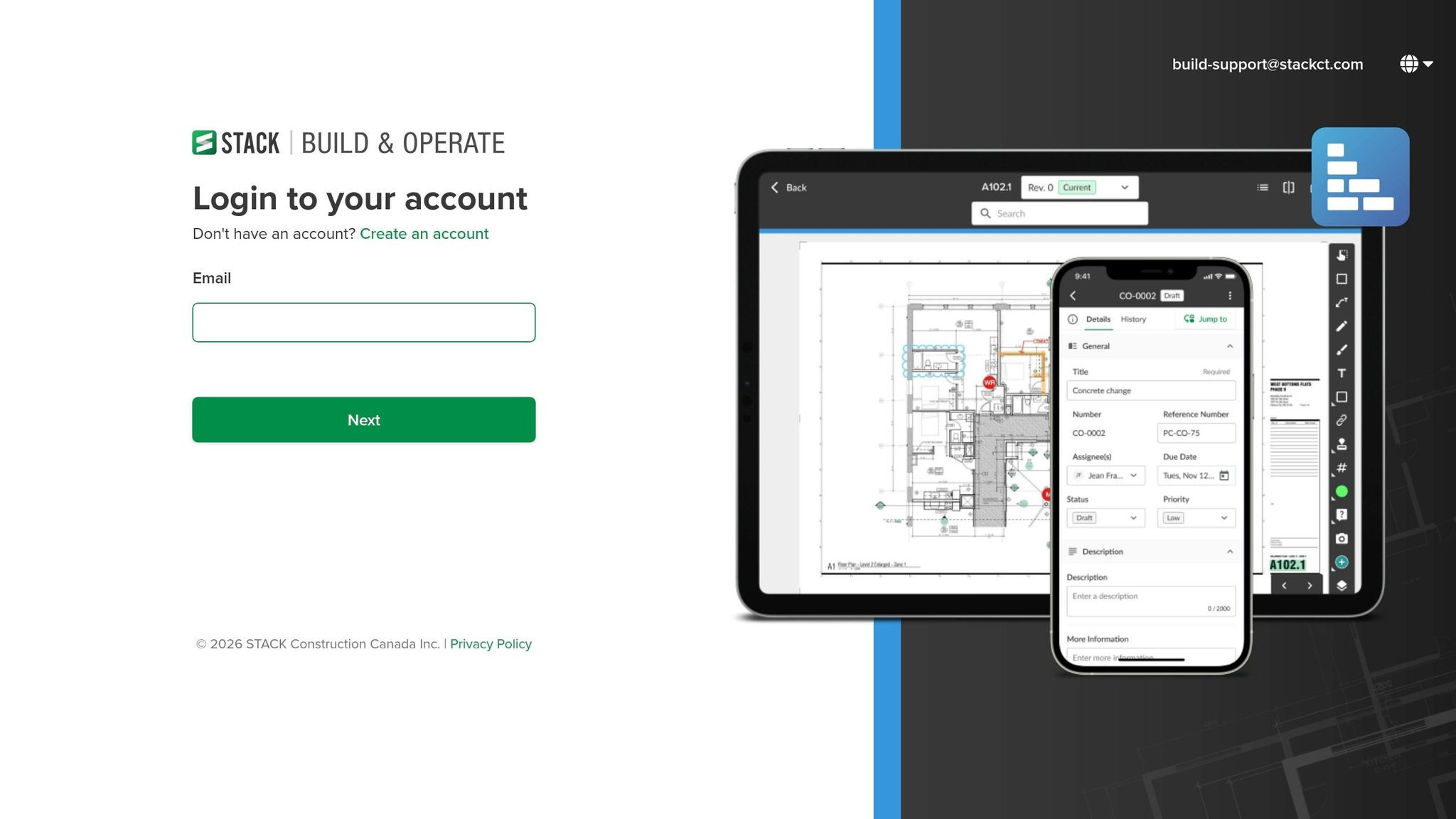
STACK operates entirely in the cloud, making it accessible from any device with an internet connection. Its AI-powered OCR simplifies document management by automatically naming, numbering, and hyperlinking project plans. For example, Katrina Pryor, Senior Estimator at Omega Floors, saw a dramatic reduction in time spent on tasks – what used to take 16 hours now takes just 3–4 hours. With self-guided tutorials, users can gain basic proficiency in under 4 hours, allowing small teams to quickly start benefiting from the platform. This user-friendly approach sets the stage for STACK’s advanced trade-specific automation features.
Trade-Specific Tools and Automation
STACK stands out with its trade-specific tools designed for contractors across various industries, including concrete, drywall, flooring, insulation, painting, landscaping, masonry, mechanical, electrical, plumbing, roofing, and structural steel. The platform employs AI accelerators like symbol search and recognition, as well as automated takeoffs for features such as areas, walls, doors, and windows. Contractors can leverage pre-built or custom item and assembly libraries to calculate material and labor costs in real time.
The impact is clear: subcontractor Demotik reported a 50–75% boost in productivity and win rates of 30–40% after adopting STACK. Similarly, Journey Flooring doubled its revenue by digitizing workflows. Mark Flanders, Chief Estimator at Coustic-Glo, highlighted how STACK’s cloud-based tools made him "twice as fast", enabling better collaboration and more successful bids.
Integration with Workflows and Project Management
STACK enhances real-time collaboration by providing a centralized platform for office and field teams. Its open API allows seamless integration with existing accounting and ERP systems, cutting down on redundant data entry. Users can transition from measurements to detailed proposals without switching tools. The "Plan Overlay" feature is particularly useful for comparing different versions of drawings, helping users identify changes instantly and avoid redoing takeoff work. CentiMark praised these integration capabilities, stating:
STACK’s application programming interfaces, which allow us to integrate other systems into STACK, are unique.
Cost-Effectiveness for Small Contractors
STACK offers two pricing tiers: the Premium plan at $249 per user per month (billed annually at $2,999) and the Pro plan at $299 per user per month, which includes the full estimating platform and ERP integration options. A 7-day free trial provides access to Pro-level features, letting contractors test the platform before committing. Martin Dulabic, Project Estimator at Journey Flooring, noted a 10–15% improvement in win rates thanks to STACK’s precision and accuracy.
5. PlanSwift
Ease of Use for Takeoffs and Estimates
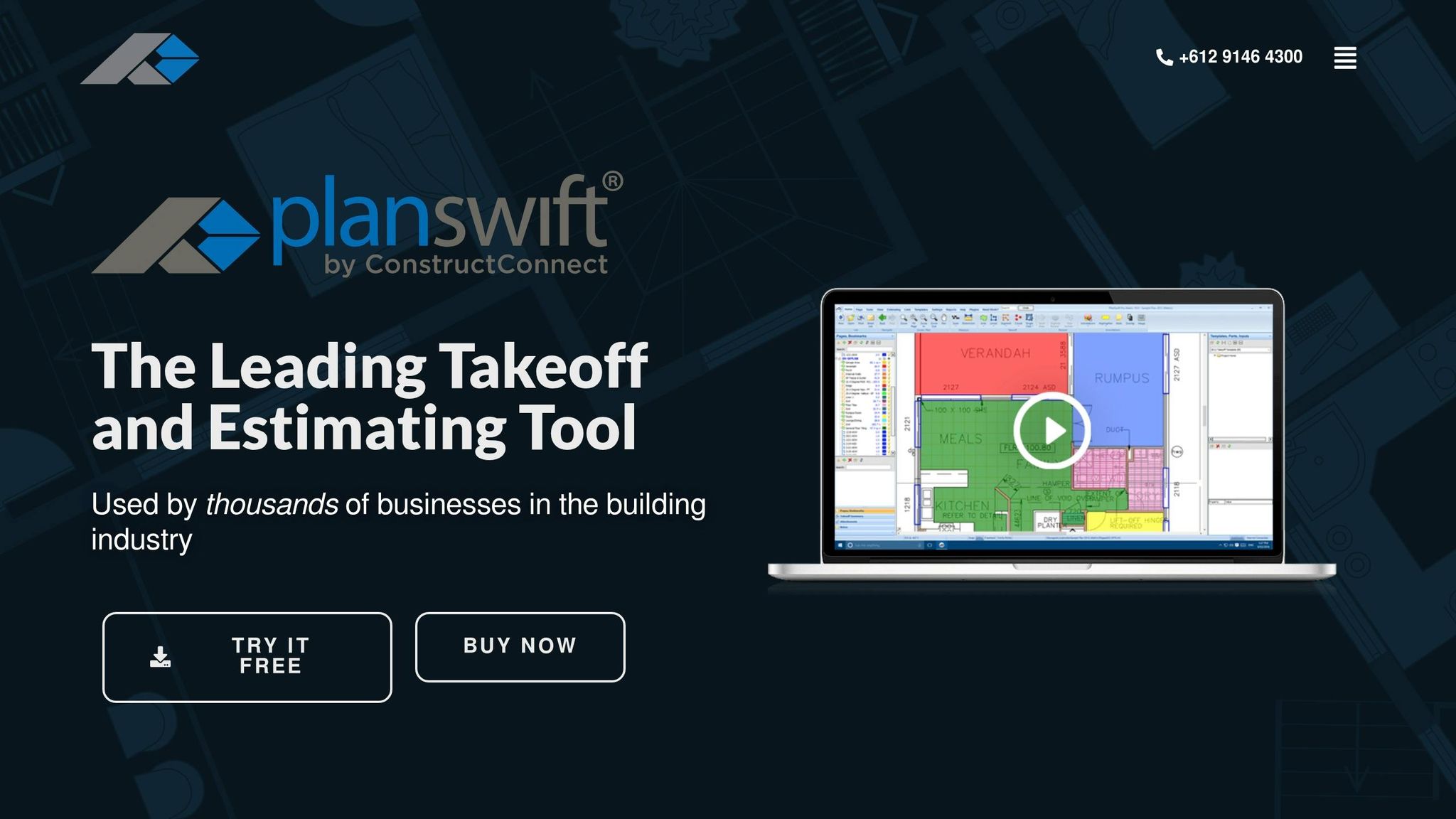
PlanSwift simplifies digital takeoffs with its point-and-click interface, making it easy to measure areas, lengths, items, and volumes directly from digital blueprints. The process is straightforward: "if it’s colored, it’s counted". Once you click on a section of the blueprint, it gets highlighted, so you can immediately see what’s been measured. Most users can get the hang of it in just 3–4 hours. As Kyong Chan from Logic Electric noted:
"The tutorial solidified my decision."
The software doesn’t stop at measurements – it also calculates material quantities, labor hours, and taxes automatically. This efficiency allows contractors to complete estimates 3.2 times faster than traditional manual methods, reducing the average time per project from 6.1 hours to just 1.9 hours. This streamlined approach sets the stage for PlanSwift’s more advanced tools.
Trade-Specific Tools and Automation
PlanSwift’s specialized tools are tailored for different trades, offering 97.3% measurement accuracy. The Auto Count feature is a standout, automatically identifying and counting repetitive elements like switches, outlets, doors, and fixtures across the blueprint. For concrete work, it simplifies slab measurements and calculates volumes with a single click. Drywall contractors will appreciate features that automatically subtract door and window openings from their measurements.
For more complex structural needs, tools like the Hip and Valley Calculator, Pitch Calculator, and Advanced Joist Tool handle intricate calculations. The drag-and-drop assemblies function further enhances efficiency by letting users apply pre-set material, labor, and waste costs directly to takeoff items, providing instant cost totals. Spending 4–6 hours to create custom templates can save 15–20 minutes per project. Thanks to these tools, measurement errors are reduced by 87% compared to manual methods, making the software a reliable choice for precision and cost savings.
Integration with Workflows and Project Management
PlanSwift integrates seamlessly with tools many contractors already rely on. It works with Excel, allowing users to import data or export completed estimates and reports into existing spreadsheets. You can even push quantities directly into custom Excel templates for final analysis. For accounting workflows, the software connects with QuickBooks, Sage 100 (Master Builder), and Sage 300 (Timberline).
As a Windows desktop application, PlanSwift delivers fast performance, even with large files, and can be used offline. However, it’s worth noting that it’s not compatible with Mac, iPad, or Android devices. Joe Beyer from Advanced Epoxy Coatings LLC shared his experience:
"It is perfect for takeoffs which is what we need it for. It has saved us time and money and is dead on accurate."
Cost-Effectiveness for Small Contractors
PlanSwift offers a perpetual license for $1,749, meaning you pay once and avoid recurring subscription fees. Optional annual maintenance, which covers updates and support, costs between $349 and $400 after the first year. Over five years, total costs average $3,494, including maintenance.
The software quickly pays for itself, recouping costs within 23 bids by saving about 4.2 hours per project. Small construction teams transitioning from spreadsheets report average annual savings of $8,200. A 14-day free trial is available, allowing users to explore all features before making a purchase.
6. Procore
Integration with Workflows and Project Management
Procore seamlessly links estimating to project management and financial tools, creating a unified system for the entire project lifecycle. With just one click, an estimate can generate project budgets, change orders, and purchase documents, simplifying what could otherwise be a complex process.
The platform supports over 500 integrations via its marketplace, including popular tools like Sage 100 Contractor. Brandon Lopez, Chief Operations Officer at ABLe Communications, Inc., highlighted the benefits of this integration:
"Joining our estimating systems with our field management systems tore down a wall that blocked the flow of information… Smarter, faster employees equals more profit."
Procore’s unlimited-user model allows contractors to include employees, clients, and subcontractors without worrying about additional seat fees. However, onboarding can take 3 to 6 months, and the mobile website occasionally runs into performance issues.
In addition to its strong integration capabilities, Procore offers advanced automation tailored to various trades.
Trade-Specific Tools and Automation
Procore leverages AI-powered automation to assist trades like electrical, plumbing, and mechanical. It can detect floor plan areas, count repeated symbols, and support both 2D drawings and 3D BIM models with automated takeoffs. Through Esticom, the platform also provides specialized tools for tasks like tracing conduit runs and calculating wire pulls.
Users can create a database of customizable assemblies to standardize bids for specific trades. Procore also integrates with RSMeans cost databases, ensuring access to localized and current material and labor pricing. These features have led to measurable improvements for teams using Procore, including 52% fewer non-recoverable change orders, a 16% reduction in rework, and a 48% increase in construction volume.
Cost-Effectiveness for Small Contractors
Procore’s pricing is based on Annual Construction Volume (ACV), not per-user fees, with monthly costs typically ranging from $500 to over $1,000. Initial setup and training can add $5,000 to $15,000 to the total investment. The platform includes perks like a 14-day free trial, unlimited data storage, 24/7 technical support, and 18 on-demand certifications at no additional cost.
David Laderberg, Vice President at Smart Charge America, shared his perspective:
"Every other estimating solution we looked at was antiquated. Procore takes estimating into the 21st century."
That said, Procore’s pricing and extensive features can be a challenge for very small contractors. Many describe it as "prohibitively expensive" and "overwhelming" for residential shops with 1–5 employees. It’s better suited for businesses scaling toward mid-to-large commercial projects. Small contractors should carefully assess whether they need Procore’s full suite of tools, as its estimating module shines most when used alongside the platform’s broader ecosystem.
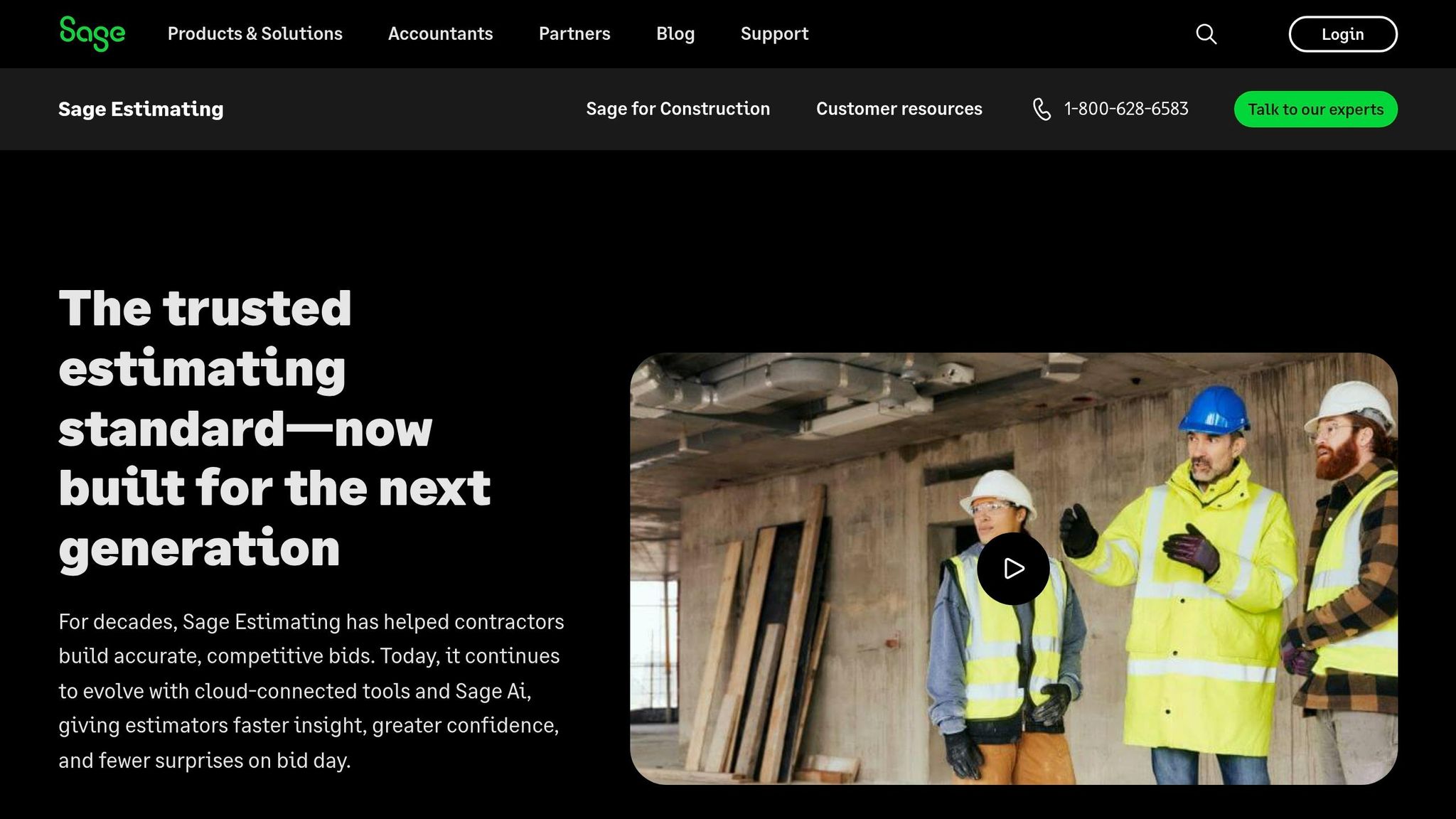
7. Sage Estimating
Trade-Specific Tools and Automation
With three decades of experience in the industry, Sage Estimating provides a massive library of over 250,000 assemblies organized across CSI divisions. It offers access to updated, trade-specific cost databases for areas like concrete, MEP, drywall, roofing, and landscaping, with RSMeans integration ensuring precise estimates. By incorporating Sage AI and Snap AI, the platform automates quantity takeoffs, identifies symbols, switches, and fixtures, flags outlier bids, and predicts bidder participation based on historical trends.
Jeff Binder, an estimator at W.M. Schlosser Construction Company, highlighted the platform’s reliability, saying:
In this industry, too much depends on nailing the estimate to trust Excel. It’s better to put your trust in a product that has earned that trust.
This level of automation simplifies the takeoff process, making it more efficient and reliable.
Ease of Use for Takeoffs and Estimates
The eTakeoff Dimension tool allows users to perform takeoffs directly from native PDFs at various scales, cutting takeoff time by 50% or more compared to manual methods or spreadsheets. Built-in formulas eliminate the need for manual calculations, reducing errors, while the auto-save feature ensures no work is lost. For smaller contractors, takeoff templates and global variables offer a way to standardize bids for recurring projects. Additionally, features that safeguard finalized bids from unauthorized edits help maintain data integrity.
However, some users have pointed out limitations, such as the lack of a "quick undo" button and the absence of native mobile access, which could impact usability for teams on the go.
Integration with Workflows and Project Management
Sage Estimating enhances efficiency by integrating seamlessly with accounting systems like Sage 100 Contractor, Sage 300 CRE, and Sage Intacct Construction. This integration allows smooth data transfers from estimates into job costing and accounting workflows. The BidMatrix tool further streamlines operations by automating bid leveling, instantly processing thousands of bid paths to identify the most cost-effective subcontractor combinations while tracking MBE/WBE requirements.
T.K. Rubke, President and Founder of T.K. Rubke & Company, praised its role in business growth:
Sage Estimating is the platform I use for building and growing this business.
The software achieves a 97.4% first-pass accuracy rate on standardized commercial plan sets. For specialized trades like HVAC or framing, assembly estimates simplify pricing discussions with subcontractors and clients. Its scalability – from single estimators to large teams – makes it a practical choice for small businesses looking to grow.
Cost-Effectiveness for Small Contractors
Sage Estimating’s licensing starts at $833 per month per user, with a three-year total ownership cost of approximately $30,400 per seat, including IT, maintenance, and training. Annual fees range from $8,000 to $12,000 per user. Small businesses should also account for additional costs like SQL Server licensing, VPNs for remote access, and IT support, as the platform is primarily desktop-based. Pricing details are only available through consultation with a Sage expert, though a trial version is offered for evaluation.
While primarily deployed on-premise, cloud hosting options are available through third-party providers. For contractors already using Sage 100 Contractor or Sage 300 CRE, the native integration adds considerable value. Despite the higher upfront investment, the platform’s advanced automation and seamless integration help minimize errors and produce accurate bids, aligning well with the efficiency needs of small businesses. However, 72% of contractors who move away from Sage cite the lack of cloud collaboration as their main reason for leaving.
8. CostX

Ease of Use for Takeoffs and Estimates
CostX brings together takeoff, estimating, and reporting in one user-friendly platform. It supports a variety of 2D file formats like PDFs, CAD files, and scans. One standout feature is its live-linked spreadsheets, which automatically update whenever measurements change. With one-click calculations and auto-revisioning, the software identifies changes between drawing versions and adjusts measurements and estimates instantly, maintaining a clear audit trail. Quantity Surveyor Mohamed Nufair shared his thoughts:
No manual Excel work, no double-checking rows, and no copy-paste errors. It’s not just faster – it makes your work more accurate and professional.
For contractors handling BIM files, CostX offers 3D/BIM takeoff capabilities, automatically extracting quantities from models. This process can be up to five times quicker than traditional manual methods. Daniel Deter, Director of Pre-Construction, noted:
Take off is simple and the estimate spreadsheet platform is easy to understand and customize.
This efficient workflow lays the groundwork for advanced tools tailored to specific trades, allowing for even greater accuracy in estimates.
Trade-Specific Tools and Automation
CostX goes beyond its intuitive interface with tools designed for specific trades and automation. Estimators can create rate libraries and organize components into reusable assemblies, streamlining their processes. Its 5D BIM capabilities allow users to visualize and extract quantities from BIM files (such as IFC, RVT, or DWFx) while linking them directly to rate libraries. The software also includes a subcontractor comparison system, which helps build a database of quotes. Contractors can even provide subcontractors with a free RIB CostX viewer tool to share project details and collect quotes.
Chris Donachie, TSA Riley’s Regional Director, highlighted how RIB CostX transformed cost planning by offering clients live data and accelerating the design stages for property and infrastructure projects. With accolades like "Best Estimation & Valuation Software" at the Construction Computing Awards (five times) and a user base spanning over 100 countries, CostX has established itself as a trusted tool.
Integration with Workflows and Project Management
CostX Cloud enhances its estimation features by enabling remote access and offering integration with tools like Power BI, Tableau, ERPs, and CRMs via OData Restful APIs. For larger or more intricate projects, the "Zones" function allows contractors to break down work into smaller sections for detailed analysis. Additionally, the software includes embodied carbon accounting, which helps track the environmental impact of material choices while managing costs.
It’s the best in the market that we have reviewed, in terms of ease of use and functionality for 2D and 3D take-off purposes.
Cost-Effectiveness for Small Contractors
CostX offers three deployment options to suit different needs:
- Standalone License: Designed for exclusive use on a single PC.
- Network Licenses: Ideal for multiple users, with installation across several PCs and a shared central database.
- CostX Cloud: A subscription-based model that lowers upfront costs, does away with expensive hardware upgrades, and includes automated updates and maintenance.
Pricing is available upon request. For small contractors or solo estimators, the Standalone License is a practical choice due to its straightforward setup and management. Additionally, an educational version is offered for students, making it accessible for those just starting in the field.
Feature and Pricing Comparison
Here’s a quick breakdown of key features and pricing for estimating software designed for small contractor teams:
| Software | Starting Price | Best For | Key Strengths | Notable Limitations | Learning Curve |
|---|---|---|---|---|---|
| ScopeTakeoff | $100/month per person | Trade-specific subcontractors (10+ trades) | Pre-built assembly libraries, auto trade calculations, SOV export, unlimited projects | Newer platform | ~4 hours |
| Clear Estimates | $59/month | Residential remodelers | Built-in RSMeans database for 400+ U.S. metro areas, QuickBooks integration | No digital takeoff tools | ~4 hours |
| Buildxact | $149/month | Small residential builders | All-in-one (estimating, scheduling, job costing), integrates with Xero/QuickBooks | Higher monthly cost | ~4 hours |
| STACK | $2,499–$2,999/year | Takeoff-heavy general contractors | Cloud-based, native iPad app, mobile-first design | Higher annual cost | ~4 hours |
| PlanSwift | $1,749/year + $349/year maintenance | Desktop users needing offline access | Windows-based, robust takeoff, Excel integration | No cloud/mobile access | ~6 hours |
| Procore | ~$5,000+/year | Growing commercial firms | 500+ app integrations, RSMeans integration, professional reporting | Steep learning curve, enterprise pricing | 8–12 hours |
| Sage Estimating | $5,000–$15,000/year | Large commercial/civil contractors | Deep cost database refinement, Sage Suite integration | Overkill for teams under 10 | 2+ weeks |
| CostX | Custom pricing | BIM/CAD-heavy projects | 3D/BIM takeoff, live-linked spreadsheets | Enterprise-level complexity | ~8 hours |
This table highlights how different tools fit specific needs, from residential remodelers to large commercial contractors. Switching from spreadsheets to dedicated estimating software can save small construction teams an average of $8,200 annually. Even better, 67% of users report winning 15–25% more bids after adopting these tools.
For solo contractors or small teams, quick setup and ease of use often outweigh having a long list of features. Tools like Clear Estimates, Buildxact, and STACK are designed to get you up and running in under four hours. On the other hand, enterprise-grade options such as Sage Estimating or Procore might take weeks to fully master.
When evaluating costs, don’t just focus on the monthly or annual subscription price. For instance, a tool priced at $80/month per user adds up to $4,800/year for a team of five. Then, factor in potential implementation fees ranging from $2,000 to $10,000, plus annual maintenance plans.
The best choice will depend on your trade, mobility preferences, and whether you need an all-in-one solution or a specialized tool tailored to your niche. Residential remodelers often benefit from platforms with built-in cost databases, while trade-specific contractors might find the most value in tools with pre-built assemblies and automation.
Conclusion
Choosing the right estimating software boils down to three main factors: your industry, your budget, and how quickly your team can adapt to the new tool. Transitioning from spreadsheets to estimating software brands can save you money annually and boost your bid success rate.
To make the best choice, identify your must-have features – like fast implementation, mobile accessibility, and QuickBooks integration. Instead of relying on demo data, test the software with real project plans to see how it performs. Don’t just focus on the monthly subscription cost; take into account annual fees, setup costs, and ongoing maintenance. If you are on a tight budget, you might also consider free estimating software to get started. For growing teams, flat-rate pricing often works out better than per-user pricing models.
Look for tools that automate takeoffs and connect with project management systems to eliminate inefficiencies. If you frequently estimate from job sites, a cloud-based platform with a reliable mobile app is a must. Be sure to test it in real-world conditions, like areas with poor cell service, to confirm it meets your needs.
Lastly, prioritize data portability. Your estimating software should scale with your business and never restrict your ability to grow.
FAQs
What should I look for in estimating software for my trade?
When selecting estimating software, focus on tools that are straightforward and simple to pick up, especially if your team needs to get up to speed quickly. Opt for features like mobile compatibility for on-the-go estimating and integration with takeoff tools to streamline your processes. Be sure to evaluate the total cost, including subscription fees and additional features, to ensure it fits your budget. Most importantly, choose software that aligns with your trade-specific workflows to enhance accuracy, boost efficiency, and support better project management as your business expands.
How do I figure out the real cost beyond the monthly price?
When figuring out the total cost of estimating software, you’ll need to account for more than just the subscription fee. Think about setup fees, training costs, ongoing support, and any charges for upgrades or add-ons. Some platforms bundle onboarding into their pricing, but others might bill it separately. To get a clear picture, calculate the total cost of ownership by combining these expenses, and compare that to the benefits – like saving time and boosting bid success – to determine whether it’s worth the investment.
Can estimating software still work if I’m bidding from the job site?
Many estimating tools are built to function seamlessly on-site. With mobile-friendly features, contractors can handle tasks like takeoffs, measurements, and plan updates directly from the field. This allows for real-time markups and precise bidding without the need to head back to the office. These tools are particularly handy for small teams or contractors actively working on location.