Best Drywall Estimating Software for Contractors in 2026
For drywall subcontractors who want fast, affordable board-count takeoff and bidding, ScopeTakeoff is the strongest fit on this list because it combines PDF takeoff, drywall assemblies, automatic board count with opening deductions, metal framing, finish levels, and SOV output in one simple workflow. On-Screen Takeoff with Quick Bid and The EDGE are the deeper, established wall-and-ceiling suites built for large commercial interior-finish shops — more powerful, but heavier and more expensive.
Drywall estimating has its own requirements. A drywall contractor needs to count board from wall and ceiling area, deduct openings, lay out metal framing, apply finish levels and texture, and add mud, tape, corner bead, fasteners, and labor for both hang and finish before submitting a bid.
Some drywall tools are deep desktop suites built for large commercial wall-and-ceiling contractors. Others are lighter, faster bidding tools for subs who want an accurate number quickly. This comparison looks at drywall estimating software based on takeoff, board count, framing and finish, SOV output, ease of use, and who each tool is built for.
Quick guide to who each tool is for: ScopeTakeoff → drywall subs who want fast board-count takeoff and SOV at a low price. On-Screen Takeoff + Quick Bid → large commercial wall-and-ceiling contractors who want the established standard. The EDGE → interior-finish specialists doing drywall, framing, and acoustical together. Excel → simple, low-volume manual estimates.
Quick comparison: best drywall estimating software 2026
| Feature | ScopeTakeoff | OST + Quick Bid | The EDGE | Excel |
|---|---|---|---|---|
| Who it’s for | Drywall subs | Large wall/ceiling contractors | Interior-finish specialists | Simple manual estimates |
| Auto board count & opening deductions | Yes | Yes | Yes | Manual |
| Metal framing & finish levels | Yes | Yes (deep) | Yes (deep) | Manual |
| SOV output for GC submission | Included | Report-based | Report-based | Manual |
| Ease of use | Signup and go | Desktop, training | Desktop, training | Familiar |
| Pricing style | $100/person/month | Quote-based (two products) | Quote-based | Free / Microsoft 365 |
Best drywall estimating software by use case
- Best for drywall subcontractors: ScopeTakeoff
- Best established wall-and-ceiling standard: On-Screen Takeoff + Quick Bid
- Best for interior-finish specialists: The EDGE
- Best free option: Excel
1. ScopeTakeoff — Best Drywall Estimating Software for Subcontractors
Who it’s for: drywall subcontractors who want to go from takeoff to bid to SOV quickly without a heavy desktop suite. If you are a large commercial interior-finish shop bidding acoustical ceilings, EIFS, and fireproofing alongside drywall, the deeper specialists below may suit you better; ScopeTakeoff is built for fast, accurate drywall bids.
For drywall work, ScopeTakeoff supports PDF plan takeoff and drywall assemblies: automatic board count from wall and ceiling area with opening deductions built in, metal framing by linear foot and spacing, Level 1 through 5 finishing, and texture. Mud, tape, corner bead, fasteners, and labor for hang and finish come through the assemblies instead of being rebuilt each time.
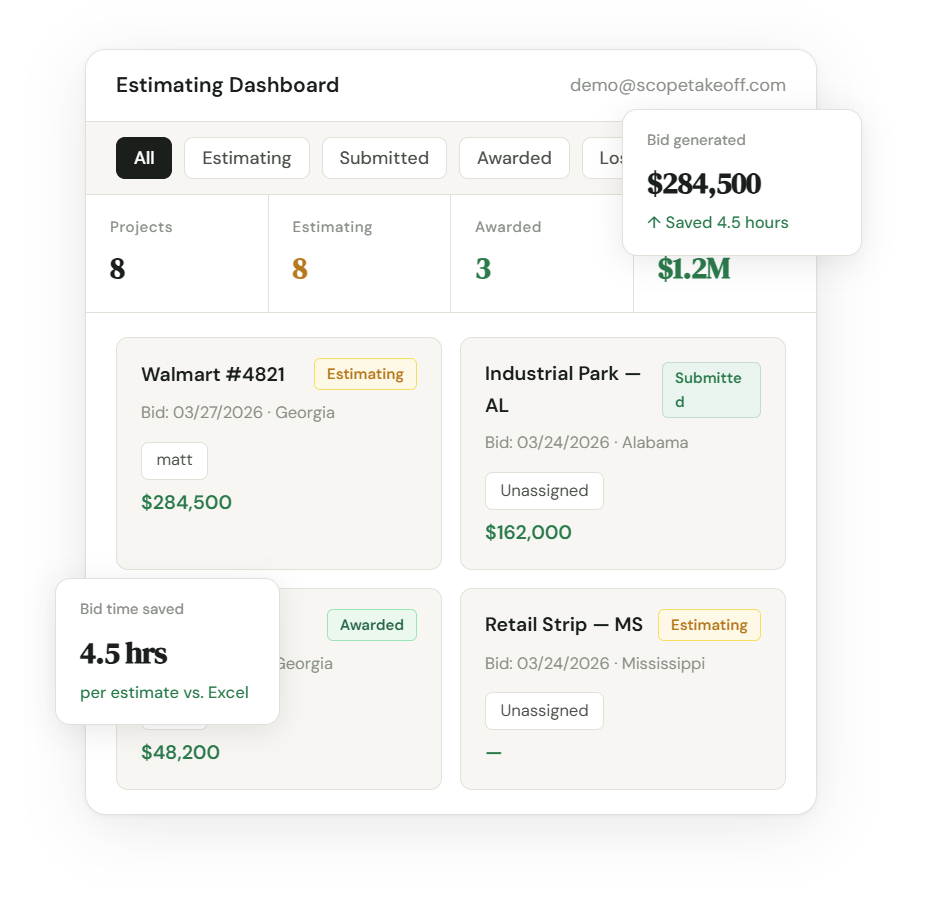
It also handles fire-rated and sound assemblies, and produces SOV exports for GC submission along with proposals, unlimited projects, and team estimating tools. At $100 per person per month with a 14-day free trial, it is priced for subcontractors rather than enterprise interior-finish teams.
- Automatic board count with opening deductions
- Metal framing, Level 1–5 finishing, and texture
- PDF plan takeoff included
- Fire-rated and sound assemblies
- SOV output for GC submission
- $100/person/month with no annual contract
- 14-day free trial and fast setup
- Not a deep desktop wall-and-ceiling suite
- Acoustical, EIFS, and fireproofing are not the focus
- Newer product with less name recognition
- Some teams may need to tune assemblies to their pricing
2. On-Screen Takeoff + Quick Bid — Best Established Standard
Who it’s for: large commercial wall-and-ceiling contractors who want the long-established industry standard for drywall takeoff and bidding.
On-Screen Takeoff (OST) is a widely used visual takeoff tool that measures walls in linear and square footage and handles both drywall and acoustical ceilings. Paired with Quick Bid, it produces detailed material lists for drywall, ceiling, mud, and tape, along with labor time, production rates, burden, and markup. Together they are a deep, proven system. The tradeoff is that it is desktop-oriented, involves two products, and carries a learning curve and quote-based pricing aimed at established shops.
- Industry-standard visual takeoff for walls and ceilings
- Detailed material lists with Quick Bid
- Labor time, production rates, burden, and markup
- Proven across large commercial interior-finish work
- Two products to license and learn
- Desktop-oriented with a learning curve
- Quote-based pricing geared to larger shops
- More tool than a small sub may need
3. The EDGE — Best for Interior-Finish Specialists
Who it’s for: commercial interior-finish specialists who estimate drywall along with framing, insulation, finish, and acoustical ceilings in one system.
The EDGE (Estimating Edge) is an integrated commercial takeoff and estimating program built specifically for the interior trades — framing, insulation, drywall, and finish — with preloaded manufacturer databases like USG and Armstrong. It offers detailed profit recap reports, alternate pricing, material ordering, and job costing, plus features like Smart Labor and one-click project updates, and it also covers acoustical ceilings, EIFS, and fireproofing. The tradeoff is the depth and cost: it is a professional-grade suite, not a quick lightweight bid tool.
- Built for interior-finish trades — drywall, framing, finish, acoustical
- Preloaded manufacturer databases (USG, Armstrong)
- Smart Labor and detailed recap reports
- Covers acoustical, EIFS, and fireproofing too
- Professional-grade suite with a learning curve
- Quote-based pricing geared to larger contractors
- More than a small drywall sub typically needs
- Report-based rather than GC SOV-first
4. Excel — Best Free Option
Who it’s for: contractors doing a low volume of drywall bids who want a free, familiar starting point.
Excel is still common in drywall estimating because it is flexible and familiar. A contractor can build formulas for board count, framing, finish levels, mud and tape, labor, overhead, and markup. For low-volume work it can do the job. The challenge is consistency: as bid volume grows, manual board counts, copied templates, and version-control issues become harder to manage.
- Free and familiar
- Fully customizable
- Useful for simple estimates
- Works as a backup tool
- No built-in PDF takeoff
- No drywall assembly library
- Board count and deductions are manual
- SOV output requires extra formatting
- More error-prone as bid volume increases
How to choose drywall estimating software
The best drywall estimating software depends on the size and mix of your work. A drywall sub bidding tenant improvements needs something different from a large interior-finish shop bidding drywall, framing, and acoustical ceilings together.
Look for features that match drywall estimating specifically, not just general construction estimating.
- Board count and deductions: The software should count board from wall and ceiling area and deduct door and window openings automatically.
- Metal framing: Studs and track should calculate by linear foot and spacing, with wall height factored in.
- Finish levels: Estimates should reflect Level 0 through 5 finishing, plus texture, since finish drives labor.
- Rated assemblies: Fire-rated (Type X) and sound assemblies should be available, along with insulation where needed.
- PDF plan takeoff: You should be able to measure walls and ceilings directly from plans rather than scaling by hand.
- Hang and finish labor: Production rates differ for hanging board and finishing it, so labor should separate the two.
- SOV output: Drywall subs on commercial work should be able to export a Schedule of Values for GC submission.
- Speed vs. depth: A small sub usually values fast, simple bidding; a large interior-finish shop may need the depth of a desktop suite. Match the tool to your scale.
Recommendation for drywall subcontractors: Start with a tool built around drywall assemblies and board count, not generic line items, that you can get running quickly. ScopeTakeoff includes automatic board count with opening deductions, metal framing, Level 1–5 finishing, and SOV output at $100/person/month.
FAQ
Try drywall estimating software built for subcontractors
14-day free trial. Board count, metal framing, Level 1–5 finishing, and SOV output included.
Start free trial → Concrete · Masonry · Drywall · Painting · HVAC · Flooring · Remodeling · Landscape · Asphalt · Roofing