
PDF Takeoff Software Features Subcontractors Need
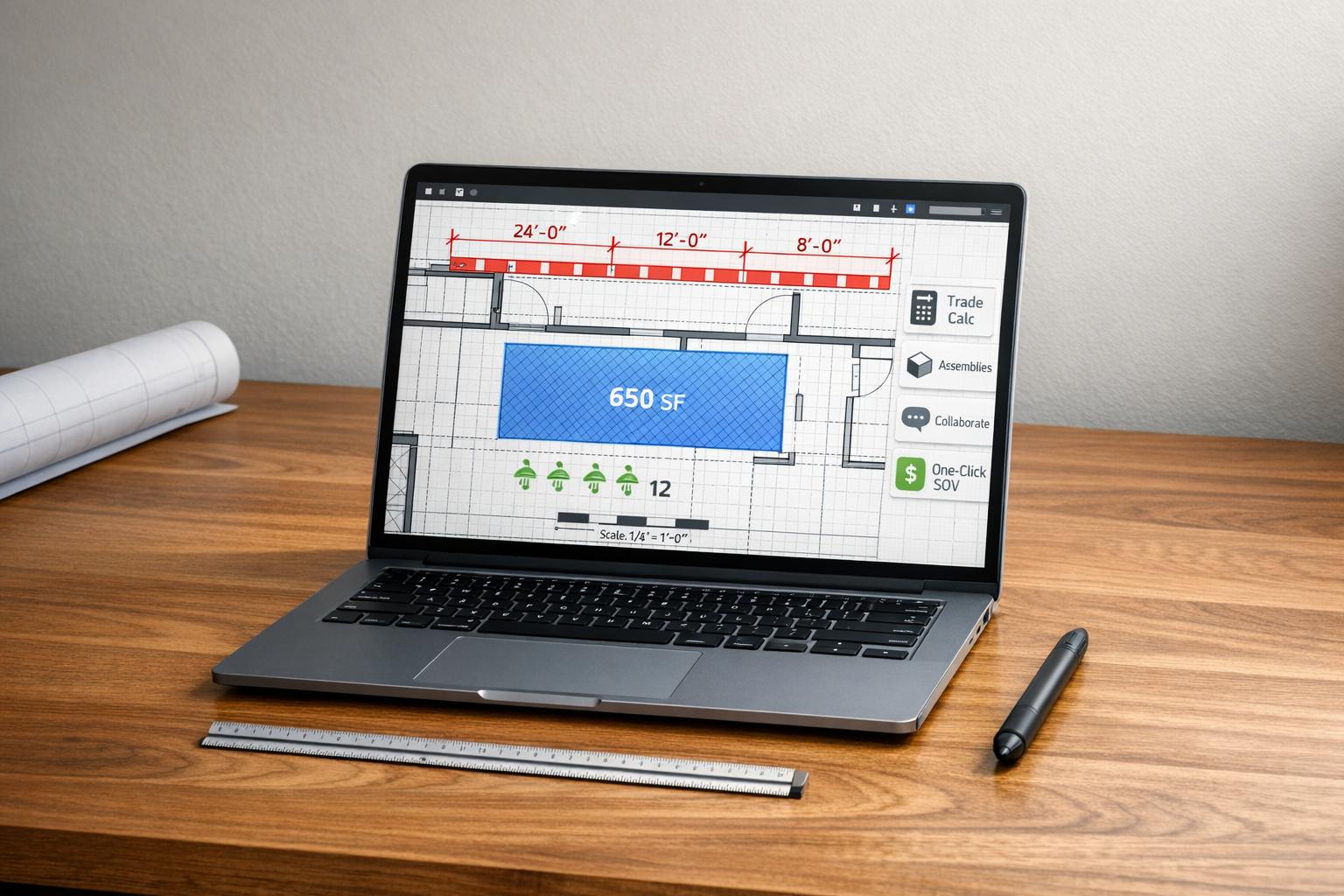
Preparing accurate bids under tight deadlines is a common challenge for subcontractors. Manual methods like paper plans and spreadsheets are time-consuming and prone to errors, which can lead to costly mistakes. PDF takeoff software solves these problems by speeding up measurements, automating calculations, and reducing human error.
Key features subcontractors should look for include:
- Digital Measurements: Quickly measure linear feet, areas, and volumes on PDF plans.
- Trade-Specific Calculations: Automatically convert measurements into quantities like cubic yards or board counts.
- Pre-Built Libraries: Simplify planning with material and labor assemblies tailored to specific trades.
- Collaboration Tools: Cloud access for teams to manage multiple bids and track progress.
- Proposal Generation: Export professional bid documents with one click.
ScopeTakeoff is a solid choice for subcontractors working on projects between $500,000 and $10 million. At $100 per user per month, it offers unlimited projects, trade-specific tools, and streamlined workflows, saving an average of 4.5 hours per estimate. A 14-day free trial is available with no credit card required.
For subcontractors looking to save time, improve accuracy, and handle more bids, PDF takeoff software is a practical solution.
Cleanest Way to Do Quantity Takeoffs in Bluebeam
sbb-itb-4ee4ad4
Core Features Subcontractors Need in PDF Takeoff Software
PDF takeoff forms the backbone of any digital estimating process. This essential feature lets you measure linear feet, areas, and volumes directly on digital plans, seamlessly transferring those measurements into your estimates. But there’s a catch – scale calibration is critical. Never rely solely on the stated scale in a PDF. Always calibrate using a known dimension, like a standard door width (typically 3 feet), to avoid errors caused by improperly scaled PDFs. To keep everything organized, color-coded markups visually track counted items, reducing the chance of missing something or accidentally double-counting on complex plans.
Once measurements are accurate, automation takes over. Automatic trade calculations transform basic measurements into the units specific to your trade. For example, concrete software can instantly convert square footage and depth into cubic yards. Drywall tools calculate board counts while factoring in deductions for openings. Roofing software applies slope adjustments to square footage without requiring manual pitch calculations. This not only eliminates errors common with paper takeoffs but also prevents mistakes during manual data entry.
Pre-built assembly libraries are another game-changer. These libraries group related materials and labor together, allowing one measurement to trigger calculations for everything needed. For instance, measuring an exterior wall can automatically generate quantities for studs, nails, anchors, and other essential materials.
Mike C., a masonry contractor from Birmingham, AL, shares: "The masonry assembly library alone is worth it. I used to count every block by hand off the plans. Now I enter the dimensions, and it spits out quantities, mortar, everything".
Team collaboration tools are invaluable for managing multiple bids under tight deadlines. These features let multiple estimators access and work on plans in the cloud. Senior estimators can review bids before submission, and centralized dashboards track bid progress – whether it’s in progress, submitted, won, or lost – helping to avoid oversights.
Travis W., a roofing subcontractor in Nashville, TN, notes: "Our estimators turn around 3x as many bids per week now. The SOV export goes straight to the GC – no reformatting, no copying into Word".
Finally, proposal generation tools streamline the transition from takeoff to the final bid document. With one click, you can export professional Schedule of Values (SOV) documents that meet general contractor requirements. This feature eliminates the need for manual copying into Word or Excel, reducing the risk of costly margin errors and safeguarding your profits on every bid. These integrated tools pave the way for specialized platforms like ScopeTakeoff, which further simplify the bidding process.
ScopeTakeoff: Trade-Specific Estimating for Subcontractors
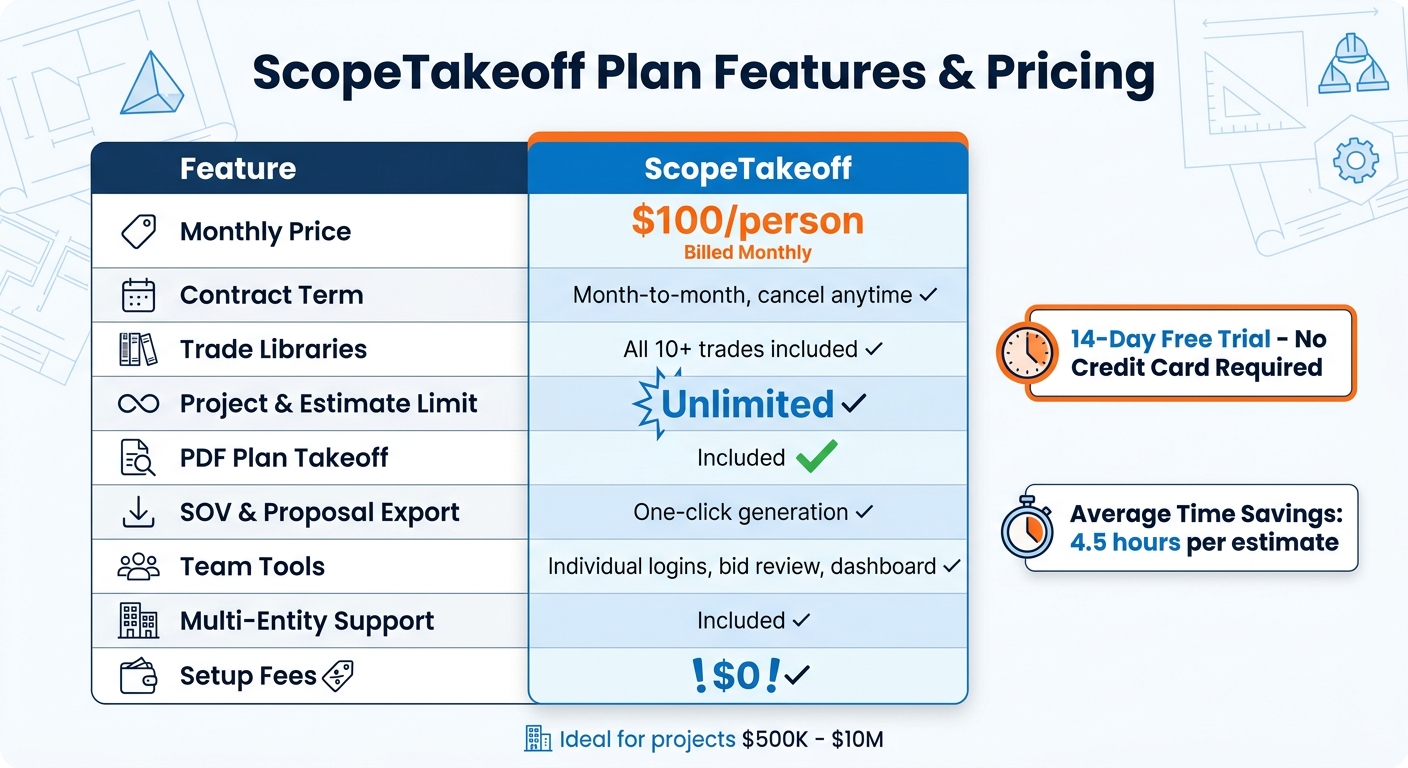
ScopeTakeoff Pricing and Features Comparison Table
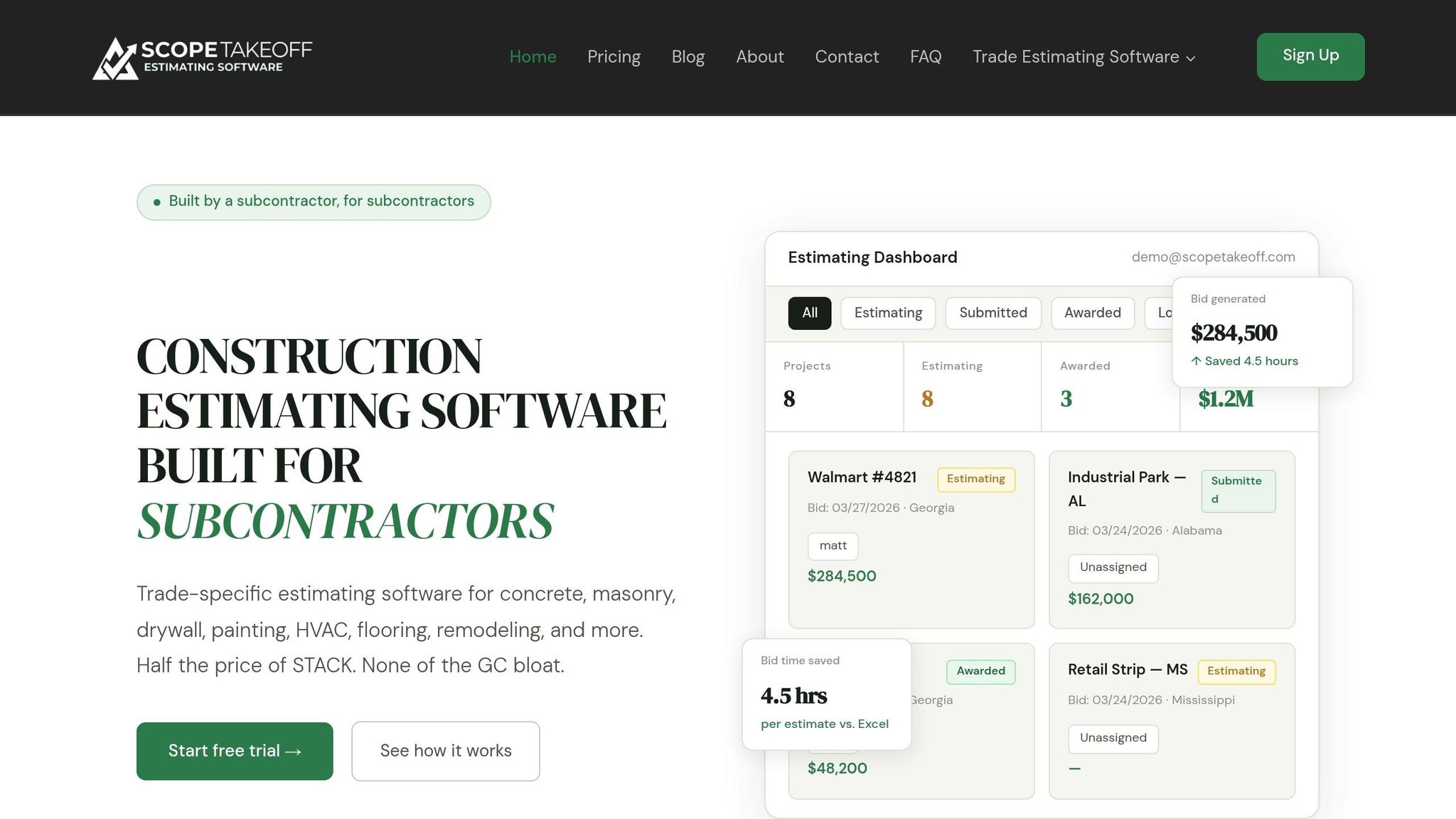
ScopeTakeoff delivers essential tools for PDF takeoff and trade-specific estimating, tailored specifically for subcontractors handling projects between $500K and $10M. Unlike general contractor tools, which can be overly complex, ScopeTakeoff zeroes in on the unique demands of subcontractors. This focus reduces manual errors and speeds up bid preparation, making it a practical choice for digital takeoff needs.
The platform is designed with trade-specific estimating in mind, offering customized assembly libraries for over 10 trades. These include concrete, masonry, drywall, painting, HVAC, flooring, remodeling, landscaping, roofing, and asphalt. Automatic calculations, such as cubic yard estimates for concrete or board counts for drywall, further simplify the process. Features like integrated PDF takeoff, one-click SOV exports, and unlimited project management ensure smooth workflows and better team coordination.
Collaboration tools take accuracy up a notch. Estimators can use individual logins, while a centralized dashboard tracks bids by status. A built-in bid review workflow allows senior estimators to catch potential errors, ensuring precise margins before submission. For subcontractors managing multiple licensed entities, the multi-entity profile feature automatically fills in the correct license details, addresses, and signatory information for each proposal.
Despite its advanced capabilities, ScopeTakeoff keeps pricing straightforward and accessible. At $100 per person per month, users get access to all trade assembly libraries, unlimited projects and estimates, PDF takeoff, and SOV/proposal exports. There are no annual contracts, setup fees, or extra charges per trade. Plus, a 14-day free trial is available – no credit card or sales call required. On average, users report saving 4.5 hours per estimate compared to Excel-based workflows.
| Plan Feature | ScopeTakeoff |
|---|---|
| Monthly Price | $100/person |
| Contract Term | Month-to-month, cancel anytime |
| Trade Libraries | All 10+ trades included |
| Project & Estimate Limit | Unlimited |
| PDF Plan Takeoff | Included |
| SOV & Proposal Export | One-click generation |
| Team Tools | Individual logins, bid review, dashboard |
| Multi-Entity Support | Included |
| Setup Fees | $0 |
Pros and Cons
ScopeTakeoff offers some clear benefits for subcontractors managing PDF takeoffs, though it may not fit every workflow. Knowing the positives and drawbacks can help you decide if it’s the right tool for your needs.
Here’s a quick breakdown of ScopeTakeoff’s strengths and areas where it could improve:
| Advantages (Pros) | Limitations (Cons) |
|---|---|
| Trade-Specific Tools: Includes pre-built assemblies for over 10 trades, automatically calculating cubic yards, board counts, and tonnage. | Single Pricing Tier: Flat $100/month per user with no cheaper options for smaller businesses or light users. |
| Unlimited Projects: No restrictions on the number of estimates or projects, making it ideal for high-volume bidding. | Limited Trade Support: Plumbing and electrical modules are still under development and unavailable for now. |
| Affordable Pricing: At $100/month, it’s a cost-effective alternative to enterprise estimating software, focusing on features subcontractors actually need. | Subcontractor Focus: Lacks advanced project management features that larger general contractors may require. |
| Automated Calculations: Reduces manual errors and saves an average of 4.5 hours per estimate. | No Perpetual License: Only available as a subscription, unlike legacy tools offering one-time purchase options. |
| Professional Outputs: Generates polished Schedule of Values (SOV) and branded proposals ready for submission with just one click. | Platform Limitations: Focused on PDF takeoffs, with no support for BIM or 3D modeling files. |
| Multi-Entity Support: Easily manages multiple licensed entities with distinct profiles and automatically populates proposal details. |
One of its standout features is the ability to significantly speed up bid preparation. Jason R., a concrete subcontractor, shared:
"Previously, we paid far more for limited features. ScopeTakeoff offers everything we need, cutting our bid time in half".
Similarly, Travis W., a roofing subcontractor, mentioned:
"Our estimators turn around 3x as many bids per week now. The SOV export goes straight to the GC – no reformatting, no copying into Word".
That said, the single pricing model is a downside for those who only handle a few estimates each month. For smaller operations, the $100/month per user fee might feel high compared to free tools like Excel templates. However, subcontractors managing $500,000 to $10 million in annual volume often find the time savings well worth the cost. The 14-day free trial (no credit card required) provides a chance to see if its trade-specific features align with your workflow.
If you’re in plumbing or electrical trades, you’ll need to wait for those libraries to launch or check their status before signing up. But for the 10+ trades already supported, the unlimited project capacity and automated calculations make ScopeTakeoff a practical option for firms aiming to handle more bids without increasing their estimating team.
Overall, ScopeTakeoff simplifies bid preparation, ensuring measurements are both accurate and time-efficient.
Conclusion
Selecting the best PDF takeoff software comes down to aligning its features with your specific workflow. For subcontractors managing annual revenues between $500,000 and $10 million, the right tool should offer trade-specific calculations, pre-built assemblies, and polished output formats that meet the expectations of general contractors.
The stakes couldn’t be higher – construction firms face significant risks, with one in four potentially shutting down after just two or three inaccurate estimates. This highlights the importance of automated, trade-specific calculations. Depending on manual spreadsheets introduces unnecessary risk, especially when working under tight bid deadlines.
To mitigate these challenges, a specialized solution is essential. ScopeTakeoff tackles this head-on with pre-built libraries covering over 10 trades, unlimited project capabilities for $100 per user per month, and one-click Statement of Values (SOV) generation. Plus, the 14-day free trial (no credit card required) allows you to see how its features fit into your estimating process.
The ideal tool should remove the need for manual counting, cut down on administrative tasks, and help you produce more bids without increasing your team size. Look for software that prioritizes precision, automation, and professional outputs – essential elements for streamlining your bid preparation and staying competitive.
FAQs
How do I calibrate scale correctly on a PDF takeoff?
To set the scale on a PDF takeoff, start by selecting two points on the drawing where the distance is already known. Enter the actual measurement and specify the units. Once you confirm the calibration, the scale will be adjusted, ensuring that all measurements taken during the takeoff align accurately with real-world dimensions.
What trades does ScopeTakeoff support?
ScopeTakeoff caters to a variety of trades, including concrete, masonry, drywall, painting, HVAC, flooring, remodeling, landscaping, roofing, and asphalt.
What does the one-click SOV export include?
The one-click SOV export simplifies the process by generating the Schedule of Values (SOV) alongside the proposal output. This functionality makes bid preparation more efficient while improving the precision of your estimates.