7 Best Bluebeam Alternatives in 2026 (Including Mac & Free Options)
The best Bluebeam alternative depends on what you actually use Bluebeam for. If you use it to measure plans and build bids, ScopeTakeoff ($100/person/month, runs in any browser including Mac) replaces Bluebeam and the spreadsheet you price in. For pure PDF markup and team review, Drawboard Projects is the closest match. Other strong options: STACK (cloud takeoff + estimating), PlanSwift (Windows desktop takeoff), Togal.AI (AI area takeoff), Adobe Acrobat Pro (general PDF editing), and Bluebeam Cloud if you just need to stay in the Bluebeam ecosystem on a Mac.
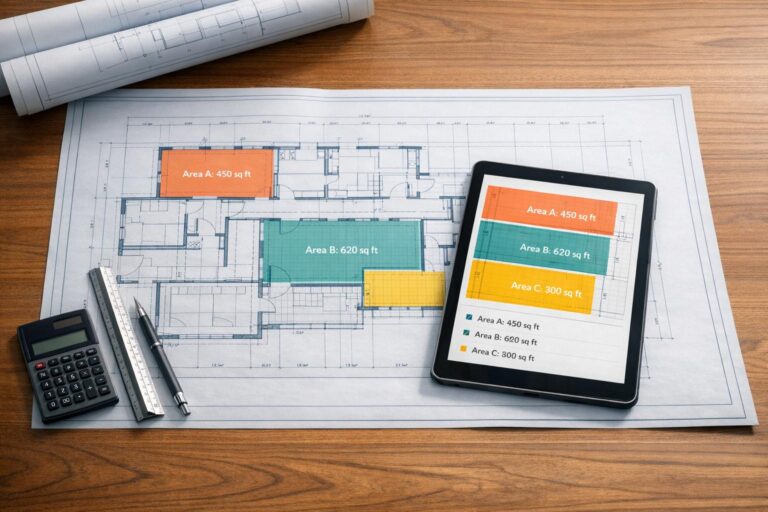
Bluebeam Revu has been the default PDF tool in construction for years. Estimators open the plan set, calibrate the scale, run area and length measurements, and then — in most subcontractor shops — copy those quantities into Excel to actually price the job. That workflow works, but it has three pain points that send people searching for alternatives: Revu doesn’t run on a Mac, it’s billed annually per user, and it’s a markup tool, not an estimating tool.
This guide compares seven alternatives by the job you need done — takeoff and bidding, document markup, or simply working on a Mac — with current 2026 pricing.
Why contractors look for a Bluebeam alternative
1. Revu is Windows-only
Bluebeam ended Revu for Mac on June 28, 2023. Today, Mac users have two official routes: run the Windows version of Revu inside a virtual machine like Parallels (which means paying for Parallels and a Windows license on top of Bluebeam), or use Bluebeam on web in the browser — which covers markup and Studio collaboration but not the full Revu toolset. If your estimator works on a MacBook, that’s friction on every single bid.
2. Annual per-user pricing adds up
Bluebeam sells three main subscription tiers, billed annually per user:
| Bluebeam plan | Price | What matters for estimators |
|---|---|---|
| Basics | $260/user/year | Markup plus basic length and area measurements |
| Core | $330/user/year | Adds counts, perimeters, volume, overlay/compare |
| Complete | $440/user/year | Adds Quantity Link to Excel and Dynamic Fill for takeoffs |
Bluebeam has also rolled out an AI-enhanced Max tier above Complete. The catch for most subs: the takeoff features estimators actually lean on (counts, Dynamic Fill, live Excel links) live in the higher tiers, and you still need a separate place to price the work.
3. It measures, but it doesn’t estimate
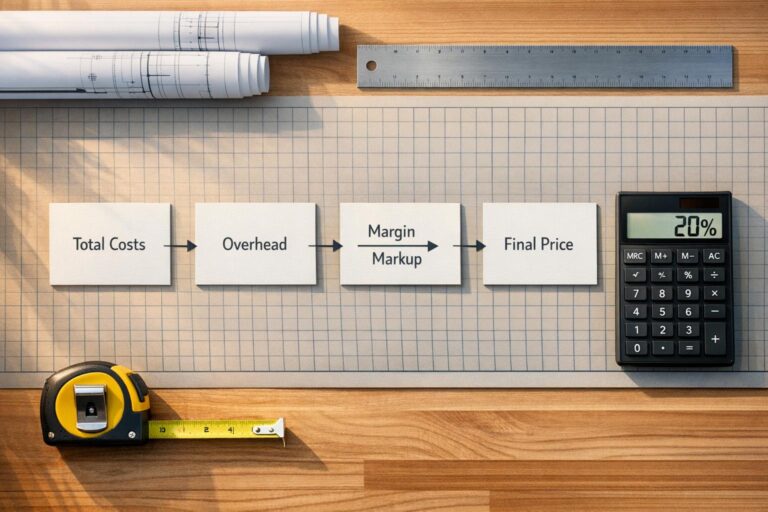
This is the big one. Bluebeam gives you quantities. It doesn’t give you assemblies (a wall type that knows it needs studs, track, board, screws, tape, and labor hours), a cost database, markup and overhead, or a proposal to send the GC. So the real cost of “using Bluebeam” for a subcontractor is Bluebeam plus a spreadsheet plus the hours it takes to move numbers between them — and every manual copy is a chance to drop a line item. (See the most common estimating mistakes subcontractors make — transcription errors are near the top.)
Rule of thumb: If more than half your Bluebeam time is spent measuring plans for bids, you don’t need a better PDF editor — you need takeoff software that prices the work too. If most of your time is markups, RFIs, and drawing review, you need a markup tool.
Bluebeam alternatives: side-by-side comparison
| Tool | Best for | Starting price | Works on Mac | Built-in estimating |
|---|---|---|---|---|
| ScopeTakeoff | Subcontractor takeoff + bids | $100/person/mo | Yes (browser) | Yes |
| STACK | Cloud takeoff + estimating | Free tier; ~$2,999/yr paid | Yes (browser) | Yes |
| PlanSwift | Desktop takeoff | ~$2,000/yr | No (Windows only) | Partial |
| Togal.AI | AI area takeoff | $299/user/mo (billed yearly) | Yes (browser) | No |
| Drawboard Projects | PDF markup & design review | ~$22.50/user/mo (annual) | Yes | No |
| Adobe Acrobat Pro | General PDF editing | ~$29.99/mo | Yes | No |
| Bluebeam Cloud | Staying in Bluebeam on a Mac | Included from $260/user/yr | Yes (browser) | No |
Prices are published list prices as of late 2026 and change often — confirm on each vendor’s pricing page before you buy.
The 7 best Bluebeam alternatives
ScopeTakeoff is built for the workflow most subs use Bluebeam for in the first place: open the plans, measure, and turn quantities into a bid. You upload the PDF plan set, set the scale, and take off areas, linear runs, and counts — the same core measuring you’d do in Revu. The difference is what happens next: quantities flow into trade assemblies (concrete, masonry, drywall, painting, electrical, HVAC, plumbing, flooring, roofing and more) that calculate materials, waste, and labor hours, then roll up into a client proposal or a Schedule of Values for the GC.
It runs entirely in the browser, so it works the same on a Mac, a Windows PC, or a laptop at the job trailer. AI features include plan chat and scope extraction, so you can ask the drawings questions instead of flipping through 150 sheets.
- Takeoff and estimating in one tool — no Excel hand-off
- Works on Mac, PC, any browser
- One flat price, every trade library included
- Month-to-month, 14-day trial with no card
- Not a full PDF editor (no OCR, redaction, forms)
- Built for subs — GCs managing document control may still want a markup tool
- Newer product than Bluebeam or PlanSwift
STACK is a cloud-based takeoff and estimating platform that runs in the browser, so it works on Mac. It has a limited free version, and its Takeoff & Estimate plan is listed at about $2,999 per year for a single estimator, with per-seat discounts for larger teams. It covers takeoff, estimates, and proposals, and it’s a well-established name with a large review base.
- Browser-based, works on Mac
- Takeoff, estimates and proposals together
- Free version to test with
- Annual billing; expensive for a one-estimator shop
- Reviewers flag pricing and navigation
PlanSwift (now part of ConstructConnect) is a long-running Windows desktop takeoff tool with point-and-click area, linear, and count takeoff, assemblies, and an Excel link. It’s fast on large local plan sets. But like Revu, it’s Windows-only — it requires Windows 10 or 11 Pro and can’t be installed on a Mac without a virtual machine — so it doesn’t solve the Mac problem.
- Mature, fast desktop takeoff
- Assemblies and Excel integration
- Windows only, tied to one machine
- Plugins and extra seats add cost
Togal.AI uses AI to detect rooms and areas on floor plans automatically, which can save a lot of clicking on area-heavy scopes like flooring, drywall, and painting. Its Growth plan is $299 per user per month, billed yearly, with unlimited automated takeoffs. It’s a takeoff tool — you’ll still price the work somewhere else.
- Fast automated area takeoff
- Browser-based
- Expensive per seat
- No built-in estimating or proposals
If what you love about Bluebeam is markup and Studio-style collaboration, Drawboard Projects is the closest like-for-like. It does real-time PDF markup, issue tracking and design review across web (including Mac), Windows, and iOS, and connects to Procore, Revit and common cloud drives. The Team plan runs about $22.50 per user per month billed annually, with a 30-day trial.
- Closest match to Bluebeam’s markup workflow
- Works on Mac, iPad, web
- Cheaper per seat than Bluebeam Core
- Markup-first; basic takeoff only
- No estimating or pricing
Acrobat Pro handles everything PDF — editing, combining, OCR, forms, e-signatures — on Mac and Windows. It has basic measuring tools, but it isn’t built for construction takeoff: no assemblies, no takeoff categories, no quantities that roll into a bid.
- Industry-standard PDF editing
- Mac and Windows
- Minimal construction takeoff
- No estimating
Not technically an alternative, but worth knowing: every Bluebeam plan includes Bluebeam on web and mobile, which runs in a browser on a Mac. It covers markup, Studio Sessions and Projects. It doesn’t replicate the full Revu desktop toolset, and some measurement and CAD features in Core are only available in Revu on Windows.
Best Bluebeam alternative for Mac
If you’re on a Mac, cross off anything that’s Windows-desktop-only (Revu itself and PlanSwift) unless you’re willing to run Windows in Parallels. That leaves browser-based and Mac-native tools:
- For takeoff and bidding: ScopeTakeoff or STACK. Both run in Safari or Chrome with nothing to install. ScopeTakeoff is the lower-cost option for small teams; STACK has a longer track record and a free tier.
- For markup and review: Drawboard Projects (web, Mac, iPad) or Bluebeam on web if your partners live in Studio.
- For general PDF work: Acrobat Pro.
The Parallels route does work — Revu has run on Apple silicon Macs through Windows 11 on Arm since version 21.6 — but you’re stacking a Bluebeam seat, a Parallels subscription, and a Windows license to get there, and you’re still pricing the job in Excel.
Free Bluebeam alternatives
There’s no free tool that does everything Revu Complete does, but there are free ways to cover parts of it:
- Drawboard PDF — free essentials for PDF markup on Windows, iPad and more, with paid upgrades.
- STACK free version — a limited free tier for basic takeoff, useful to test the workflow.
- Free trials of paid tools — ScopeTakeoff’s 14-day trial needs no credit card, so you can run a real bid through it end to end before paying anything.
Be careful with “free forever” takeoff tools: if a free tool costs you an extra hour per bid or an error on a $200,000 job, it’s the most expensive software you own.
How to choose the right Bluebeam alternative
- List what you actually do in Bluebeam each week. Measuring for bids? Marking up RFIs? Reviewing submittals? Your top use decides the category.
- Check where your quantities go next. If the answer is “into Excel,” prioritize a tool with estimating built in — that’s where the time and errors are.
- Match your hardware. Mac users should start with browser-based tools.
- Price it per estimator, per year. Compare annual cost per seat including add-ons, Parallels, or extra licenses.
- Run one real bid in the trial. Take a job you already bid in Bluebeam and redo it. Compare time and the final number.
Frequently asked questions
Takeoff and estimate in one tool — on any computer
ScopeTakeoff runs in your browser on Mac or PC. Measure the plans, apply trade assemblies, and send a proposal or SOV to the GC — without a markup tool and a spreadsheet stitched together.
Start free trial → $100/person/month · 14-day free trial · No credit card required